Summer GamesSummer Games
esc

Popular

↑↓ Navigate⌘K to open and closeSearch ↵
Hochladen
Summer Games

Großartige Spiele. Neue Möglichkeiten. Ein bisschen mehr Summer.

Store

  • Alle Spiele
  • Demnächst und Game Jams
  • Desktop-App
  • Item-Shop
  • Mods
  • Spielelisten
  • Mit Summer Engine gemacht
  • Ideenboard
  • Sparks

Konto

  • Bibliothek
  • Käufe
  • Einstellungen
  • KI-App verbinden

Für Entwickler

  • Veröffentliche dein Spiel
  • Für Studios
  • Mit Summer Engine entwickeln
  • Roadmap

Hilfe & Rechtliches

  • Support
  • Presse
  • Brand-Kit
  • Nutzungsbedingungen
  • Datenschutz
  • Rückerstattungen
  • Ratgeber für Eltern
  • Community-Standards

© 2026 Summer Labs, Inc. Alle Rechte vorbehalten.

  • Start
  • Spiele
  • Shop
  • Demnächst
  • Du
SpieleDemnächstItem-ShopIdeen
App holen
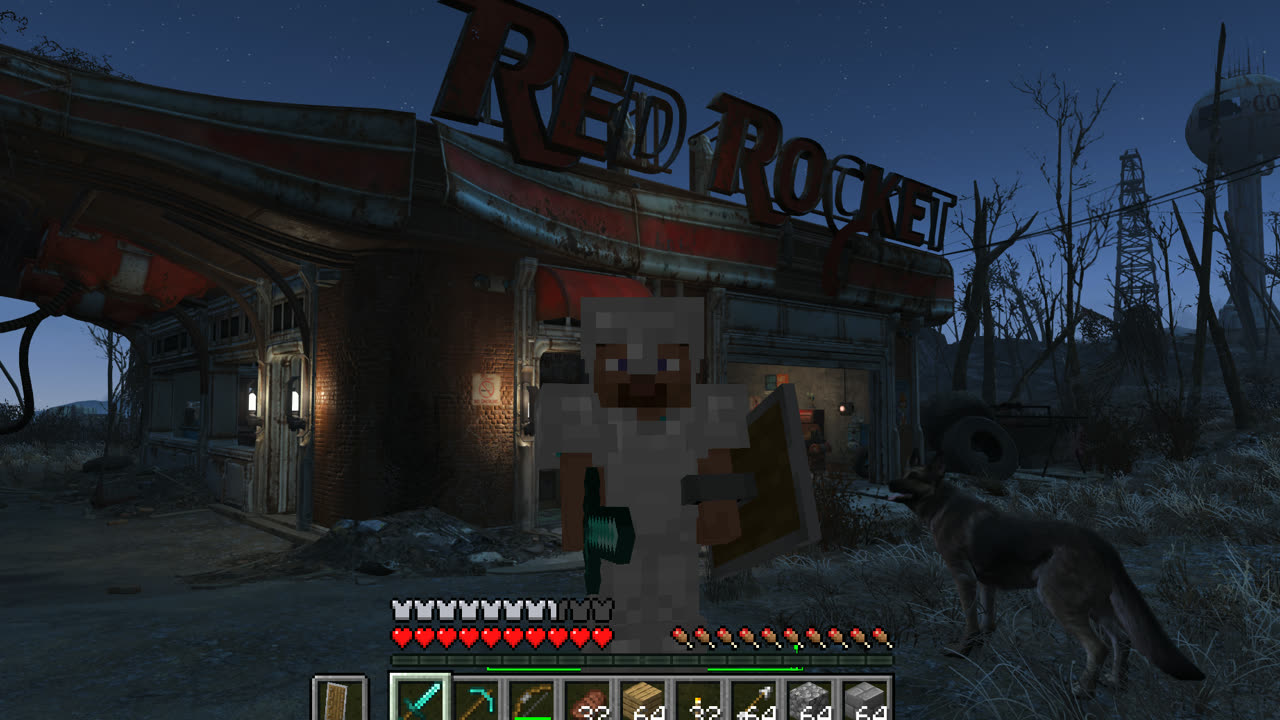
FalloutCraft: Fallout 4 und Minecraft zusammen

Fallout 4 × Minecraft

FalloutCraft

Play Fallout 4 as a Minecraft player: build a base on Red Rocket and fight raiders with a diamond sword.

FalloutCraft spielen

  1. Schritt 1: Kopiere den Prompt
  2. Schritt 2: Füge ihn in Claude Code oder Codex ein
  3. Schritt 3: Dein Agent richtet alles ein. Spiel los.

Kostenlos. Du brauchst deine eigene Kopie von Fallout 4 und Minecraft auf einem Windows-PC.

Sieh dir an, was der Prompt macht
Help me install and play "FalloutCraft" (Fallout 4 x Minecraft), a fan-made mod by zeyvu: https://github.com/zeyvu/FalloutCraft

Do the technical work yourself and tell me plainly what you could not do or test. Downloads are your job, not mine: get the mod and everything it needs (loaders, launchers, runtimes) from their official sources, and tell me what you installed and where. Only hand something to me when it truly needs me (a login, a purchase, a Windows permission prompt), with the direct link and exactly what to click.

1. Read the project's README and latest release first. Tell me in two or three lines what it is, what it needs, and anything its known issues say I should avoid.
2. Find my copies of the games yourself (Steam, Epic, Xbox and other library folders). If one is missing, or is the wrong version for this mod, stop and tell me what to get. Never download games, game files or ROMs from anywhere; the mod runs on copies I own.
3. Safety check before anything runs: download only from the creator's release linked above and the official sites of the loaders it names. Scan every downloaded file with Microsoft Defender ("%ProgramFiles%\Windows Defender\MpCmdRun.exe" -Scan -ScanType 3 -File "<the download folder>"), and read the project's open issues for security reports. If anything is flagged, stop and tell me what and where. Don't run anything as administrator unless the README requires it, and ask me first.
4. Before changing anything, back up every game file and save you will touch, and keep a list of what you change so I can undo it.
5. Install the mod exactly as its README says, using the loaders it names. If the README offers a mod manager route and a manual route, pick the one that needs less from me.
6. Start the game the way the README says and check that it loads (the README usually says how to tell). If it fails, read the logs, fix what you can, and tell me what is left.
7. If it has multiplayer, tell me in one or two lines how my friends join.
8. Finish with: what you installed, what the safety check found, how I start it next time, and how I remove it and restore my files.

Play offline when the mod says so, and never use it in online modes with anti-cheat. If you get stuck on how the game or mod works, universal-modder (https://github.com/rehan-remade/universal-modder) has skills for working out a game's engine and loaders.

Start now: begin with step 1.


Benötigt
Fallout 4, Minecraft. Kostenlos, wenn du beide besitzt.
Preis
Kostenlos spielbar
Plattform
Windows-PC
Erstellt von
zeyvu
Spieler
Einzelspieler

Über den Mod

Play Fallout 4 as a Minecraft player. You walk the Commonwealth with Minecraft's movement, build bases from blocks and fight raiders with a diamond sword and bow, while your S.P.E.C.I.A.L. stats shape your Minecraft body.

  • Minecraft movement, building and hearts inside Fallout 4
  • Fight Fallout's NPCs and creatures with Minecraft weapons
  • S.P.E.C.I.A.L. changes your speed, reach, health and damage
  • Open the Pip-Boy and listen to the radio as usual
  • Zombies, skeletons and creepers come out at night
  • Chop trees, dig for ores and scavenge Minecraft loot from containers
Open in ClaudeOpen in ChatGPT

Du brauchst

  • Fallout 4 on Steam
  • A Microsoft account that owns Minecraft: Java Edition
  • Windows PC

Hinweis

  • Early and experimental: back up your saves
  • Play from a save made after you leave Vault 111
  • Fallout's guns and VATS can't be used while Minecraft drives the player
  • Mods that take over the camera or movement conflict

Ein Fanprojekt von zeyvu, gehostet auf der eigenen Seite (v0.1.3, MIT). Keine Verbindung zu den Publishern der Spiele. Hinweis zu Mods

Weitere Mods

Alle ansehen
  • Kostenlos spielbarFortCraftShooterSandboxActionSpielenKostenlos spielbar
    FortCraftMinecraft × Team Fortress 2

    FortCraft spielen

    Summer prüft deine Spiele und richtet FortCraft ein, wenn du in der Desktop-App auf Spielen klickst. Du brauchst Minecraft: Java Edition sowie die kostenlosen Team Fortress 2 und Source SDK Base 2013 Multiplayer.

    Suche nach der neuesten Version …

    Summer Games herunterladen

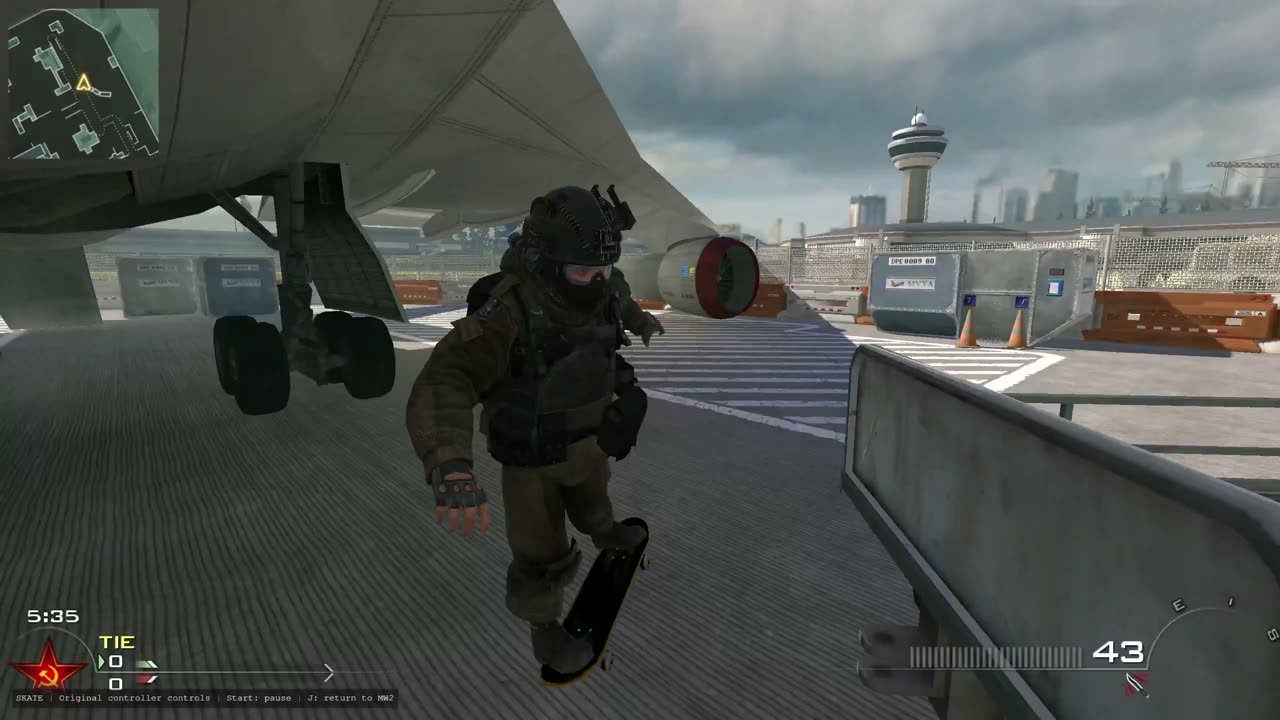
  • Kostenlos spielbar2010 Rust RewriteShooterSkateboardingSandboxMehrspielerSpielenKostenlos spielbar
    2010 Rust RewriteModern Warfare 2 × Skate 3 × Minecraft

    2010 Rust Rewrite spielen

    1. Schritt 1: Kopiere den Prompt
    2. Schritt 2: Füge ihn in Claude Code oder Codex ein
    3. Schritt 3: Dein Agent richtet alles ein. Spiel los.

    Kostenlos. Du brauchst deine eigene Kopie von Modern Warfare 2 und Skate 3 und Minecraft auf einem Windows-PC.

    Sieh dir an, was der Prompt macht
    Help me install and play "2010 Rust Rewrite" (Modern Warfare 2 x Skate 3 x Minecraft), a fan-made mod by chasmlol: https://github.com/chasmlol/2010-rust-rewrite-mashup
    
    Do the technical work yourself and tell me plainly what you could not do or test. Downloads are your job, not mine: get the mod and everything it needs (loaders, launchers, runtimes) from their official sources, and tell me what you installed and where. Only hand something to me when it truly needs me (a login, a purchase, a Windows permission prompt), with the direct link and exactly what to click.
    
    1. Read the project's README and latest release first. Tell me in two or three lines what it is, what it needs, and anything its known issues say I should avoid.
    2. Find my copies of the games yourself (Steam, Epic, Xbox and other library folders). If one is missing, or is the wrong version for this mod, stop and tell me what to get. Never download games, game files or ROMs from anywhere; the mod runs on copies I own.
    3. Safety check before anything runs: download only from the creator's release linked above and the official sites of the loaders it names. Scan every downloaded file with Microsoft Defender ("%ProgramFiles%\Windows Defender\MpCmdRun.exe" -Scan -ScanType 3 -File "<the download folder>"), and read the project's open issues for security reports. If anything is flagged, stop and tell me what and where. Don't run anything as administrator unless the README requires it, and ask me first.
    4. Before changing anything, back up every game file and save you will touch, and keep a list of what you change so I can undo it.
    5. Install the mod exactly as its README says, using the loaders it names. If the README offers a mod manager route and a manual route, pick the one that needs less from me.
    6. Start the game the way the README says and check that it loads (the README usually says how to tell). If it fails, read the logs, fix what you can, and tell me what is left.
    7. If it has multiplayer, tell me in one or two lines how my friends join.
    8. Finish with: what you installed, what the safety check found, how I start it next time, and how I remove it and restore my files.
    
    Play offline when the mod says so, and never use it in online modes with anti-cheat. If you get stuck on how the game or mod works, universal-modder (https://github.com/rehan-remade/universal-modder) has skills for working out a game's engine and loaders.
    
    Start now: begin with step 1.
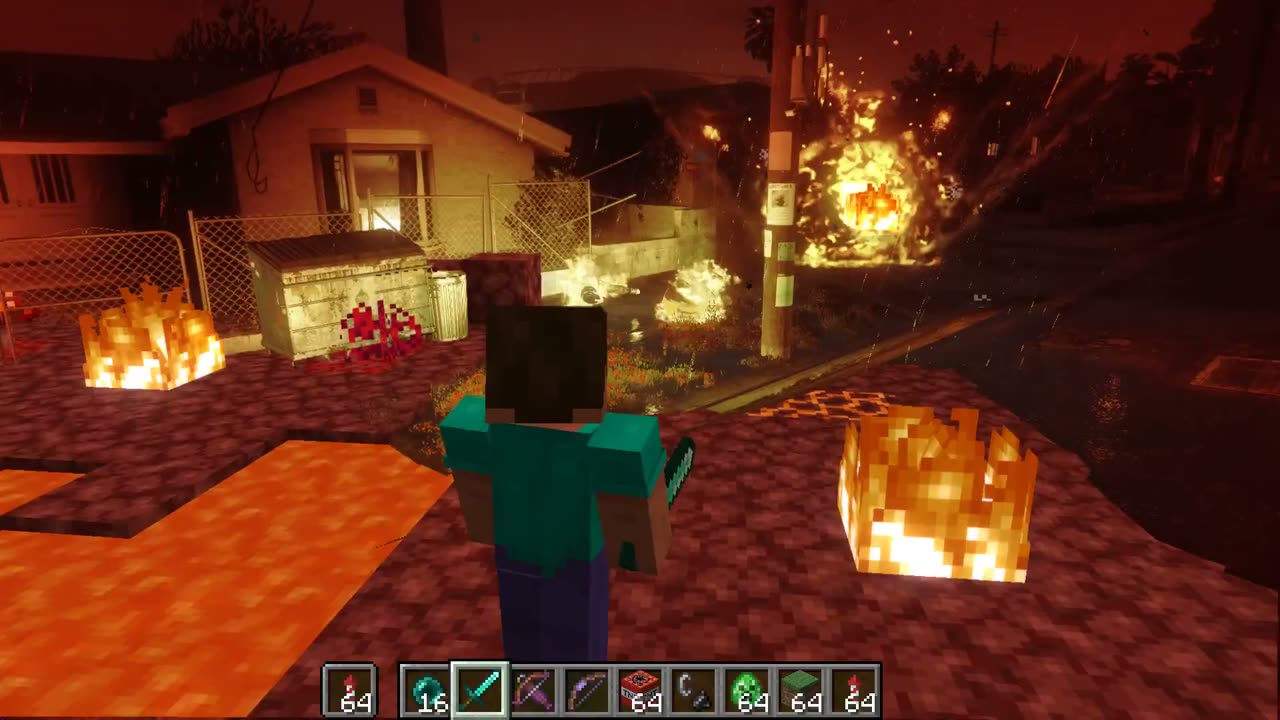
  • Kostenlos spielbarMinecraft in GTA VOpen WorldSandboxActionSpielenKostenlos spielbar
    Minecraft in GTA VGTA V × Minecraft

    Minecraft in GTA V spielen

    1. Schritt 1: Kopiere den Prompt
    2. Schritt 2: Füge ihn in Claude Code oder Codex ein
    3. Schritt 3: Dein Agent richtet alles ein. Spiel los.

    Kostenlos. Du brauchst deine eigene Kopie von GTA V und Minecraft auf einem Windows-PC.

    Sieh dir an, was der Prompt macht
    Help me install and play "Minecraft in GTA V" (GTA V x Minecraft), a fan-made mod by rehan-remade: https://github.com/rehan-remade/universal-modder/tree/main/examples/minecraft-gta5-passthrough
    
    Do the technical work yourself and tell me plainly what you could not do or test. Downloads are your job, not mine: get the mod and everything it needs (loaders, launchers, runtimes) from their official sources, and tell me what you installed and where. Only hand something to me when it truly needs me (a login, a purchase, a Windows permission prompt), with the direct link and exactly what to click.
    
    1. Read the project's README and latest release first. Tell me in two or three lines what it is, what it needs, and anything its known issues say I should avoid.
    2. Find my copies of the games yourself (Steam, Epic, Xbox and other library folders). If one is missing, or is the wrong version for this mod, stop and tell me what to get. Never download games, game files or ROMs from anywhere; the mod runs on copies I own.
    3. Safety check before anything runs: download only from the creator's release linked above and the official sites of the loaders it names. Scan every downloaded file with Microsoft Defender ("%ProgramFiles%\Windows Defender\MpCmdRun.exe" -Scan -ScanType 3 -File "<the download folder>"), and read the project's open issues for security reports. If anything is flagged, stop and tell me what and where. Don't run anything as administrator unless the README requires it, and ask me first.
    4. Before changing anything, back up every game file and save you will touch, and keep a list of what you change so I can undo it.
    5. Install the mod exactly as its README says, using the loaders it names. If the README offers a mod manager route and a manual route, pick the one that needs less from me.
    6. Start the game the way the README says and check that it loads (the README usually says how to tell). If it fails, read the logs, fix what you can, and tell me what is left.
    7. If it has multiplayer, tell me in one or two lines how my friends join.
    8. Finish with: what you installed, what the safety check found, how I start it next time, and how I remove it and restore my files.
    
    Play offline when the mod says so, and never use it in online modes with anti-cheat. If you get stuck on how the game or mod works, universal-modder (https://github.com/rehan-remade/universal-modder) has skills for working out a game's engine and loaders.
    
    Start now: begin with step 1.
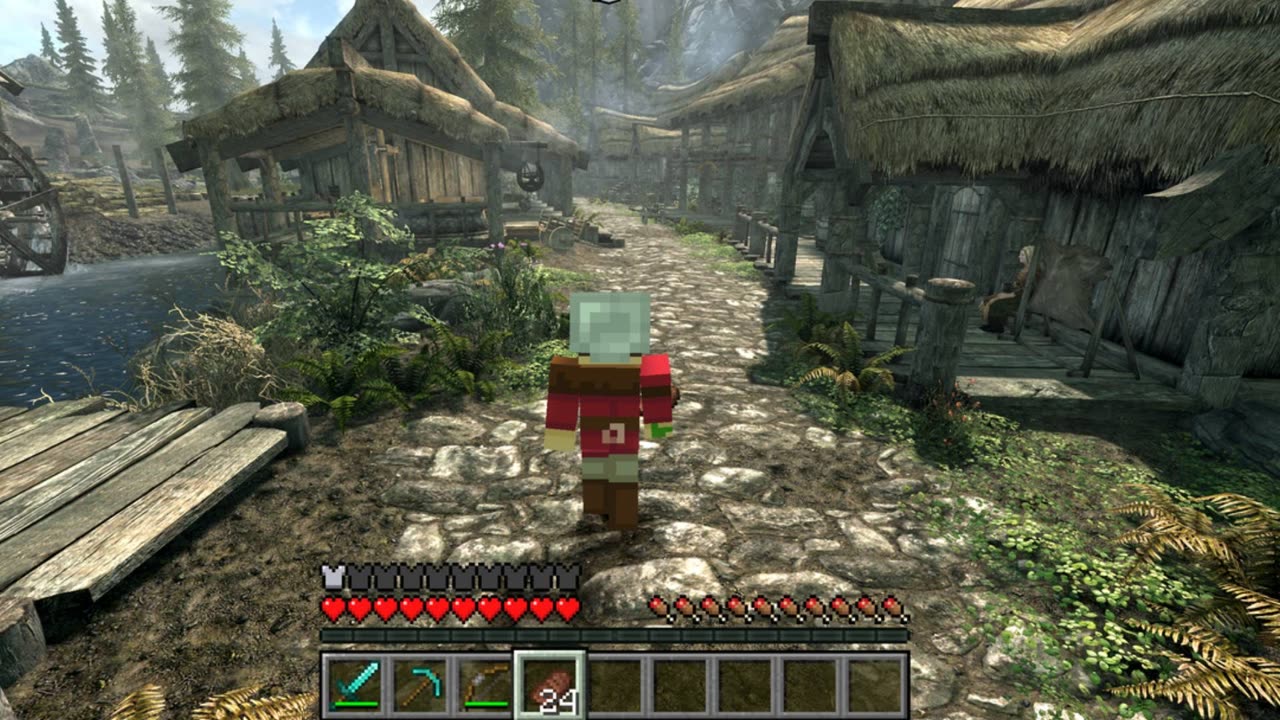
  • Kostenlos spielbarSkyCraftOpen WorldRollenspielSandboxAdventureMehrspielerSpielenKostenlos spielbar
    SkyCraftSkyrim × Minecraft

    SkyCraft spielen

    1. Schritt 1: Kopiere den Prompt
    2. Schritt 2: Füge ihn in Claude Code oder Codex ein
    3. Schritt 3: Dein Agent richtet alles ein. Spiel los.

    Kostenlos. Du brauchst deine eigene Kopie von Skyrim und Minecraft auf einem Windows-PC.

    Sieh dir an, was der Prompt macht
    Help me install and play "SkyCraft" (Skyrim x Minecraft), a fan-made mod by chasmlol: https://github.com/chasmlol/SkyCraft
    
    Do the technical work yourself and tell me plainly what you could not do or test. Downloads are your job, not mine: get the mod and everything it needs (loaders, launchers, runtimes) from their official sources, and tell me what you installed and where. Only hand something to me when it truly needs me (a login, a purchase, a Windows permission prompt), with the direct link and exactly what to click.
    
    1. Read the project's README and latest release first. Tell me in two or three lines what it is, what it needs, and anything its known issues say I should avoid.
    2. Find my copies of the games yourself (Steam, Epic, Xbox and other library folders). If one is missing, or is the wrong version for this mod, stop and tell me what to get. Never download games, game files or ROMs from anywhere; the mod runs on copies I own.
    3. Safety check before anything runs: download only from the creator's release linked above and the official sites of the loaders it names. Scan every downloaded file with Microsoft Defender ("%ProgramFiles%\Windows Defender\MpCmdRun.exe" -Scan -ScanType 3 -File "<the download folder>"), and read the project's open issues for security reports. If anything is flagged, stop and tell me what and where. Don't run anything as administrator unless the README requires it, and ask me first.
    4. Before changing anything, back up every game file and save you will touch, and keep a list of what you change so I can undo it.
    5. Install the mod exactly as its README says, using the loaders it names. If the README offers a mod manager route and a manual route, pick the one that needs less from me.
    6. Start the game the way the README says and check that it loads (the README usually says how to tell). If it fails, read the logs, fix what you can, and tell me what is left.
    7. If it has multiplayer, tell me in one or two lines how my friends join.
    8. Finish with: what you installed, what the safety check found, how I start it next time, and how I remove it and restore my files.
    
    Play offline when the mod says so, and never use it in online modes with anti-cheat. If you get stuck on how the game or mod works, universal-modder (https://github.com/rehan-remade/universal-modder) has skills for working out a game's engine and loaders.
    
    Start now: begin with step 1.
  • Start
  • Spiele
  • Shop
  • Demnächst
  • Du