Summer GamesSummer Games
esc

Popular

↑↓ Navigate⌘K to open and closeSearch ↵
Subir
Summer Games

Grandes juegos. Nuevas posibilidades. Un poco más de Summer.

Tienda

  • Todos los juegos
  • Próximamente y game jams
  • App de escritorio
  • Tienda de objetos
  • Mods
  • Listas de juegos
  • Hecho con Summer Engine
  • Tablón de ideas
  • Sparks

Cuenta

  • Biblioteca
  • Compras
  • Ajustes
  • Conectar una app de IA

Para desarrolladores

  • Publica tu juego
  • Para estudios
  • Crea con Summer Engine
  • Hoja de ruta

Ayuda y legal

  • Soporte
  • Prensa
  • Kit de marca
  • Términos
  • Privacidad
  • Reembolsos
  • Guía para padres
  • Normas de la comunidad

© 2026 Summer Labs, Inc. Todos los derechos reservados.

  • Inicio
  • Juegos
  • Tienda
  • Próximamente
  • Tú
JuegosPróximamenteTienda de objetosIdeas
Descarga la app
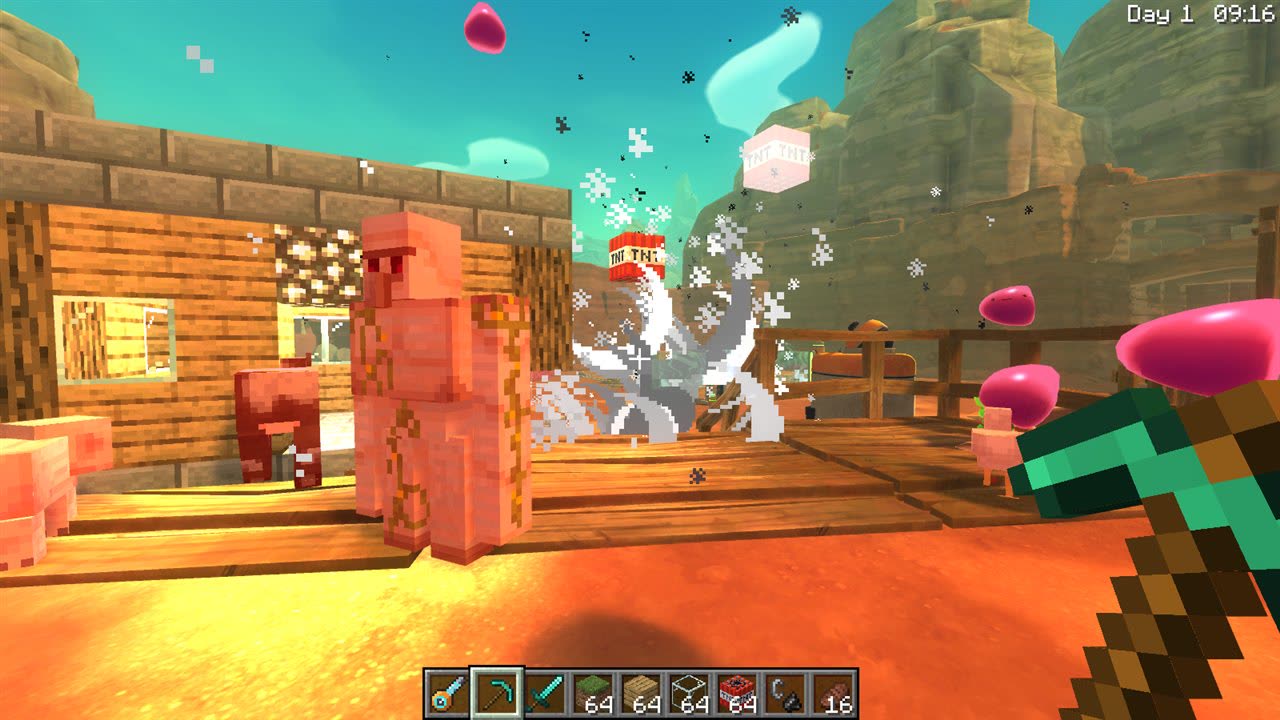
SlimeCraft: Slime Rancher y Minecraft juntos

Slime Rancher × Minecraft

SlimeCraft

Bring Minecraft to your Slime Rancher ranch: mine, build and craft, and set off TNT that sends your slimes flying.

Jugar a SlimeCraft

  1. Paso 1: Copia el prompt
  2. Paso 2: Pégalo en Claude Code o Codex
  3. Paso 3: Tu agente lo prepara todo. A jugar.

Gratis. Necesitas tu propia copia de Slime Rancher y Minecraft en un PC con Windows.

Ver qué hace el prompt
Help me install and play "SlimeCraft" (Slime Rancher x Minecraft), a fan-made mod by Angais: https://github.com/Angais/SlimeCraft

Do the technical work yourself and tell me plainly what you could not do or test. Downloads are your job, not mine: get the mod and everything it needs (loaders, launchers, runtimes) from their official sources, and tell me what you installed and where. Only hand something to me when it truly needs me (a login, a purchase, a Windows permission prompt), with the direct link and exactly what to click.

1. Read the project's README and latest release first. Tell me in two or three lines what it is, what it needs, and anything its known issues say I should avoid.
2. Find my copies of the games yourself (Steam, Epic, Xbox and other library folders). If one is missing, or is the wrong version for this mod, stop and tell me what to get. Never download games, game files or ROMs from anywhere; the mod runs on copies I own.
3. Safety check before anything runs: download only from the creator's release linked above and the official sites of the loaders it names. Scan every downloaded file with Microsoft Defender ("%ProgramFiles%\Windows Defender\MpCmdRun.exe" -Scan -ScanType 3 -File "<the download folder>"), and read the project's open issues for security reports. If anything is flagged, stop and tell me what and where. Don't run anything as administrator unless the README requires it, and ask me first.
4. Before changing anything, back up every game file and save you will touch, and keep a list of what you change so I can undo it.
5. Install the mod exactly as its README says, using the loaders it names. If the README offers a mod manager route and a manual route, pick the one that needs less from me.
6. Start the game the way the README says and check that it loads (the README usually says how to tell). If it fails, read the logs, fix what you can, and tell me what is left.
7. If it has multiplayer, tell me in one or two lines how my friends join.
8. Finish with: what you installed, what the safety check found, how I start it next time, and how I remove it and restore my files.

Play offline when the mod says so, and never use it in online modes with anti-cheat. If you get stuck on how the game or mod works, universal-modder (https://github.com/rehan-remade/universal-modder) has skills for working out a game's engine and loaders.

Start now: begin with step 1.


Requiere
Slime Rancher, Minecraft. Gratis si tienes los dos.
Precio
Gratis
Plataforma
PC con Windows
Creado por
Angais
Jugadores
Un jugador

Acerca de

Minecraft layered over the real Slime Rancher. You keep your ranch, slimes and vacpack, and add Minecraft's blocks, tools, mobs, crafting and TNT on top.

  • Minecraft's hotbar, hearts and hunger over Slime Rancher
  • Place and mine about 85 Minecraft blocks on the Far, Far Range
  • TNT that sends your slimes flying
  • Creepers, zombies, skeletons, pigs, cows and more, spawning at night
  • Feed Minecraft food to slimes and they make plorts
  • Crafting, a creative menu and commands like /give and /summon
Open in ClaudeOpen in ChatGPT

Necesitas

  • Slime Rancher on Steam
  • Minecraft: Java Edition installed
  • Windows PC

Ojo

  • Back up your Slime Rancher save folder before installing
  • Experimental: may cause crashes or conflict with other mods
  • Hostile mobs stay off your ranch unless you turn them on

Un proyecto de fans de Angais, alojado en su página (v1.0.0, MIT). Sin relación con los editores de los juegos. Aviso sobre mods

Más mods

Ver todo
  • GratisFortCraftDisparosSandboxAcciónJugarGratis
    FortCraftMinecraft × Team Fortress 2

    Jugar a FortCraft

    Summer comprueba tus juegos y configura FortCraft cuando pulsas Jugar en la aplicación de escritorio. Necesitas Minecraft: Java Edition y los gratuitos Team Fortress 2 y Source SDK Base 2013 Multiplayer.

    Buscando la última versión…

    Descargar Summer Games

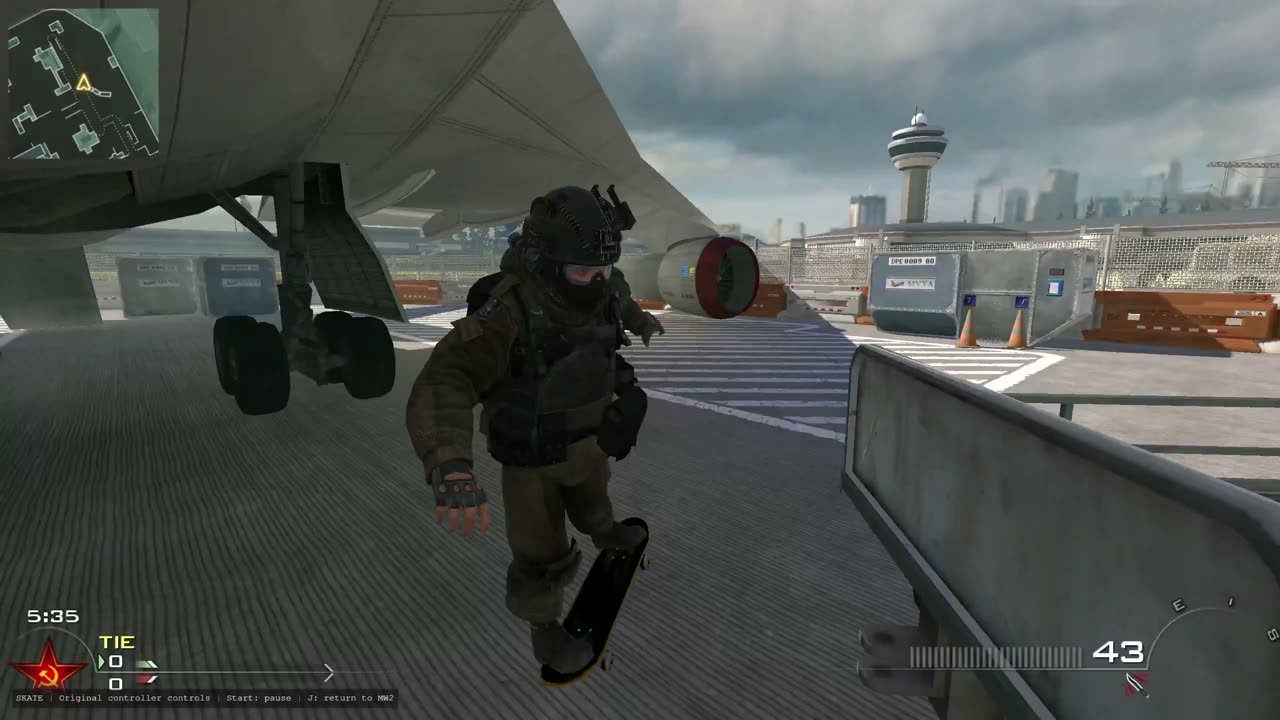
  • Gratis2010 Rust RewriteDisparosSkateSandboxMultijugadorJugarGratis
    2010 Rust RewriteModern Warfare 2 × Skate 3 × Minecraft

    Jugar a 2010 Rust Rewrite

    1. Paso 1: Copia el prompt
    2. Paso 2: Pégalo en Claude Code o Codex
    3. Paso 3: Tu agente lo prepara todo. A jugar.

    Gratis. Necesitas tu propia copia de Modern Warfare 2 y Skate 3 y Minecraft en un PC con Windows.

    Ver qué hace el prompt
    Help me install and play "2010 Rust Rewrite" (Modern Warfare 2 x Skate 3 x Minecraft), a fan-made mod by chasmlol: https://github.com/chasmlol/2010-rust-rewrite-mashup
    
    Do the technical work yourself and tell me plainly what you could not do or test. Downloads are your job, not mine: get the mod and everything it needs (loaders, launchers, runtimes) from their official sources, and tell me what you installed and where. Only hand something to me when it truly needs me (a login, a purchase, a Windows permission prompt), with the direct link and exactly what to click.
    
    1. Read the project's README and latest release first. Tell me in two or three lines what it is, what it needs, and anything its known issues say I should avoid.
    2. Find my copies of the games yourself (Steam, Epic, Xbox and other library folders). If one is missing, or is the wrong version for this mod, stop and tell me what to get. Never download games, game files or ROMs from anywhere; the mod runs on copies I own.
    3. Safety check before anything runs: download only from the creator's release linked above and the official sites of the loaders it names. Scan every downloaded file with Microsoft Defender ("%ProgramFiles%\Windows Defender\MpCmdRun.exe" -Scan -ScanType 3 -File "<the download folder>"), and read the project's open issues for security reports. If anything is flagged, stop and tell me what and where. Don't run anything as administrator unless the README requires it, and ask me first.
    4. Before changing anything, back up every game file and save you will touch, and keep a list of what you change so I can undo it.
    5. Install the mod exactly as its README says, using the loaders it names. If the README offers a mod manager route and a manual route, pick the one that needs less from me.
    6. Start the game the way the README says and check that it loads (the README usually says how to tell). If it fails, read the logs, fix what you can, and tell me what is left.
    7. If it has multiplayer, tell me in one or two lines how my friends join.
    8. Finish with: what you installed, what the safety check found, how I start it next time, and how I remove it and restore my files.
    
    Play offline when the mod says so, and never use it in online modes with anti-cheat. If you get stuck on how the game or mod works, universal-modder (https://github.com/rehan-remade/universal-modder) has skills for working out a game's engine and loaders.
    
    Start now: begin with step 1.
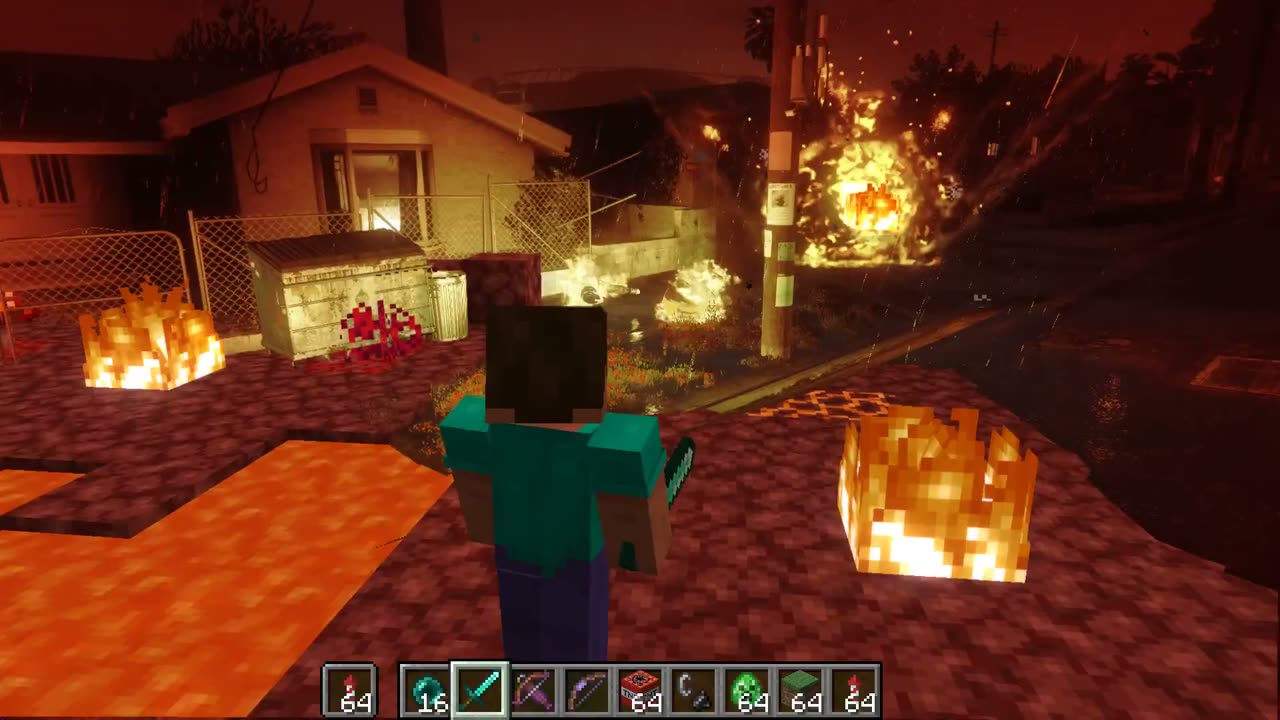
  • GratisMinecraft in GTA VMundo abiertoSandboxAcciónJugarGratis
    Minecraft in GTA VGTA V × Minecraft

    Jugar a Minecraft in GTA V

    1. Paso 1: Copia el prompt
    2. Paso 2: Pégalo en Claude Code o Codex
    3. Paso 3: Tu agente lo prepara todo. A jugar.

    Gratis. Necesitas tu propia copia de GTA V y Minecraft en un PC con Windows.

    Ver qué hace el prompt
    Help me install and play "Minecraft in GTA V" (GTA V x Minecraft), a fan-made mod by rehan-remade: https://github.com/rehan-remade/universal-modder/tree/main/examples/minecraft-gta5-passthrough
    
    Do the technical work yourself and tell me plainly what you could not do or test. Downloads are your job, not mine: get the mod and everything it needs (loaders, launchers, runtimes) from their official sources, and tell me what you installed and where. Only hand something to me when it truly needs me (a login, a purchase, a Windows permission prompt), with the direct link and exactly what to click.
    
    1. Read the project's README and latest release first. Tell me in two or three lines what it is, what it needs, and anything its known issues say I should avoid.
    2. Find my copies of the games yourself (Steam, Epic, Xbox and other library folders). If one is missing, or is the wrong version for this mod, stop and tell me what to get. Never download games, game files or ROMs from anywhere; the mod runs on copies I own.
    3. Safety check before anything runs: download only from the creator's release linked above and the official sites of the loaders it names. Scan every downloaded file with Microsoft Defender ("%ProgramFiles%\Windows Defender\MpCmdRun.exe" -Scan -ScanType 3 -File "<the download folder>"), and read the project's open issues for security reports. If anything is flagged, stop and tell me what and where. Don't run anything as administrator unless the README requires it, and ask me first.
    4. Before changing anything, back up every game file and save you will touch, and keep a list of what you change so I can undo it.
    5. Install the mod exactly as its README says, using the loaders it names. If the README offers a mod manager route and a manual route, pick the one that needs less from me.
    6. Start the game the way the README says and check that it loads (the README usually says how to tell). If it fails, read the logs, fix what you can, and tell me what is left.
    7. If it has multiplayer, tell me in one or two lines how my friends join.
    8. Finish with: what you installed, what the safety check found, how I start it next time, and how I remove it and restore my files.
    
    Play offline when the mod says so, and never use it in online modes with anti-cheat. If you get stuck on how the game or mod works, universal-modder (https://github.com/rehan-remade/universal-modder) has skills for working out a game's engine and loaders.
    
    Start now: begin with step 1.
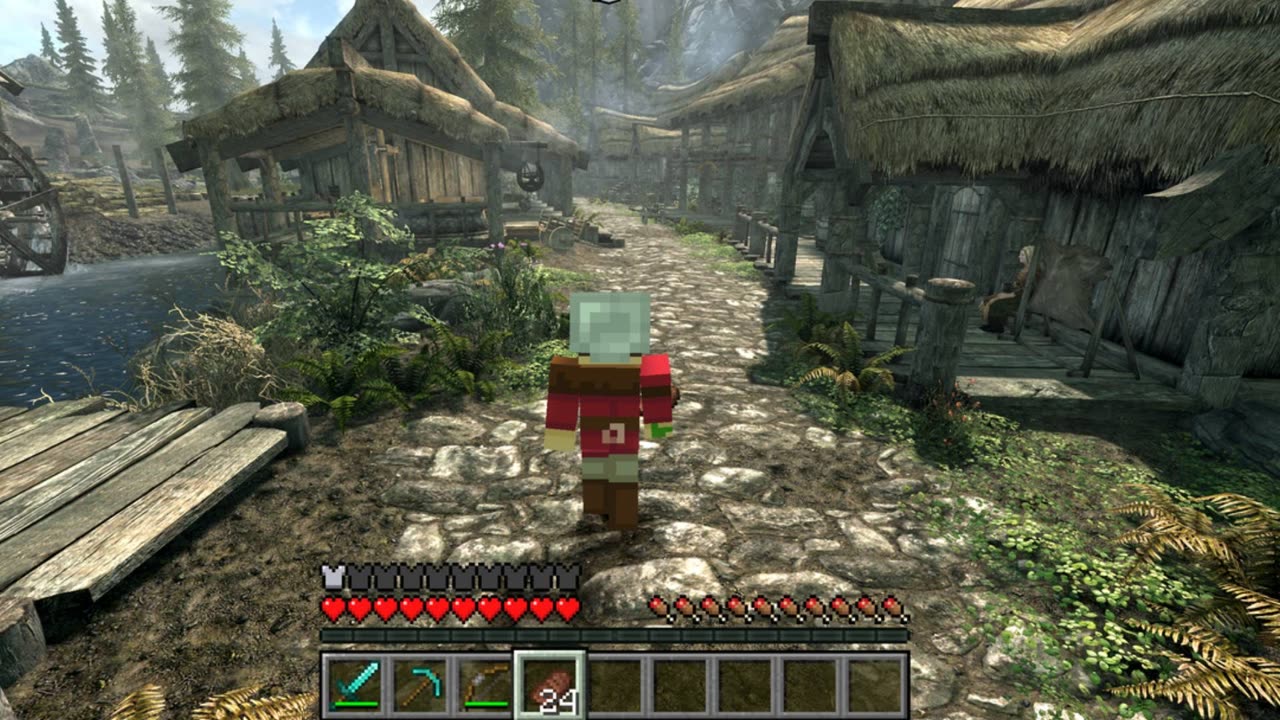
  • GratisSkyCraftMundo abiertoRolSandboxAventuraMultijugadorJugarGratis
    SkyCraftSkyrim × Minecraft

    Jugar a SkyCraft

    1. Paso 1: Copia el prompt
    2. Paso 2: Pégalo en Claude Code o Codex
    3. Paso 3: Tu agente lo prepara todo. A jugar.

    Gratis. Necesitas tu propia copia de Skyrim y Minecraft en un PC con Windows.

    Ver qué hace el prompt
    Help me install and play "SkyCraft" (Skyrim x Minecraft), a fan-made mod by chasmlol: https://github.com/chasmlol/SkyCraft
    
    Do the technical work yourself and tell me plainly what you could not do or test. Downloads are your job, not mine: get the mod and everything it needs (loaders, launchers, runtimes) from their official sources, and tell me what you installed and where. Only hand something to me when it truly needs me (a login, a purchase, a Windows permission prompt), with the direct link and exactly what to click.
    
    1. Read the project's README and latest release first. Tell me in two or three lines what it is, what it needs, and anything its known issues say I should avoid.
    2. Find my copies of the games yourself (Steam, Epic, Xbox and other library folders). If one is missing, or is the wrong version for this mod, stop and tell me what to get. Never download games, game files or ROMs from anywhere; the mod runs on copies I own.
    3. Safety check before anything runs: download only from the creator's release linked above and the official sites of the loaders it names. Scan every downloaded file with Microsoft Defender ("%ProgramFiles%\Windows Defender\MpCmdRun.exe" -Scan -ScanType 3 -File "<the download folder>"), and read the project's open issues for security reports. If anything is flagged, stop and tell me what and where. Don't run anything as administrator unless the README requires it, and ask me first.
    4. Before changing anything, back up every game file and save you will touch, and keep a list of what you change so I can undo it.
    5. Install the mod exactly as its README says, using the loaders it names. If the README offers a mod manager route and a manual route, pick the one that needs less from me.
    6. Start the game the way the README says and check that it loads (the README usually says how to tell). If it fails, read the logs, fix what you can, and tell me what is left.
    7. If it has multiplayer, tell me in one or two lines how my friends join.
    8. Finish with: what you installed, what the safety check found, how I start it next time, and how I remove it and restore my files.
    
    Play offline when the mod says so, and never use it in online modes with anti-cheat. If you get stuck on how the game or mod works, universal-modder (https://github.com/rehan-remade/universal-modder) has skills for working out a game's engine and loaders.
    
    Start now: begin with step 1.
  • Inicio
  • Juegos
  • Tienda
  • Próximamente
  • Tú