Summer GamesSummer Games
esc

Popular

↑↓ Navigate⌘K to open and closeSearch ↵
Mettre en ligne
Summer Games

De grands jeux. De nouvelles possibilités. Un peu plus de Summer.

Boutique

  • Tous les jeux
  • À venir et game jams
  • Application de bureau
  • Boutique d’objets
  • Mods
  • Listes de jeux
  • Créé avec Summer Engine
  • Tableau des idées
  • Sparks

Compte

  • Bibliothèque
  • Achats
  • Paramètres
  • Connecter une application d’IA

Pour les développeurs

  • Publier votre jeu
  • Pour les studios
  • Créer avec Summer Engine
  • Feuille de route

Aide et mentions légales

  • Assistance
  • Presse
  • Kit de marque
  • Conditions
  • Confidentialité
  • Remboursements
  • Guide pour les parents
  • Règles de la communauté

© 2026 Summer Labs, Inc. Tous droits réservés.

  • Accueil
  • Jeux
  • Boutique
  • À venir
  • Vous
JeuxÀ venirBoutique d’objetsIdées
Obtenir l’application
Vidéo du créateur

Halo: Combat Evolved × Super Mario 64

SMC64

Play Halo: Combat Evolved as Mario, with Super Mario 64’s real movement, punches and kicks against the Covenant.

Jouer à SMC64

  1. Étape 1 : Copiez le prompt
  2. Étape 2 : Collez-le dans Claude Code ou Codex
  3. Étape 3 : Votre agent s’occupe de l’installation. Jouez.

Gratuit. Il vous faut vos propres exemplaires de Halo: Combat Evolved et Super Mario 64 sur un PC Windows.

Voir ce que fait le prompt
Help me install and play "SMC64" (Halo: Combat Evolved x Super Mario 64), a fan-made mod by KodyJKing: https://github.com/KodyJKing/smc64

Do the technical work yourself and tell me plainly what you could not do or test. Downloads are your job, not mine: get the mod and everything it needs (loaders, launchers, runtimes) from their official sources, and tell me what you installed and where. Only hand something to me when it truly needs me (a login, a purchase, a Windows permission prompt), with the direct link and exactly what to click.

1. Read the project's README and latest release first. Tell me in two or three lines what it is, what it needs, and anything its known issues say I should avoid.
2. Find my copies of the games yourself (Steam, Epic, Xbox and other library folders). If one is missing, or is the wrong version for this mod, stop and tell me what to get. Never download games, game files or ROMs from anywhere; the mod runs on copies I own.
3. Safety check before anything runs: download only from the creator's release linked above and the official sites of the loaders it names. Scan every downloaded file with Microsoft Defender ("%ProgramFiles%\Windows Defender\MpCmdRun.exe" -Scan -ScanType 3 -File "<the download folder>"), and read the project's open issues for security reports. If anything is flagged, stop and tell me what and where. Don't run anything as administrator unless the README requires it, and ask me first.
4. Before changing anything, back up every game file and save you will touch, and keep a list of what you change so I can undo it.
5. Install the mod exactly as its README says, using the loaders it names. If the README offers a mod manager route and a manual route, pick the one that needs less from me.
6. Start the game the way the README says and check that it loads (the README usually says how to tell). If it fails, read the logs, fix what you can, and tell me what is left.
7. If it has multiplayer, tell me in one or two lines how my friends join.
8. Finish with: what you installed, what the safety check found, how I start it next time, and how I remove it and restore my files.

Play offline when the mod says so, and never use it in online modes with anti-cheat. If you get stuck on how the game or mod works, universal-modder (https://github.com/rehan-remade/universal-modder) has skills for working out a game's engine and loaders.

Start now: begin with step 1.


Requiert
Halo: Combat Evolved, Super Mario 64. Gratuit si vous possédez les deux.
Prix
Gratuit
Plateforme
PC Windows
Créé par
KodyJKing
Joueurs
Solo

À propos

Play Halo: Combat Evolved as Super Mario 64's Mario. Run, jump and wall kick through the campaign, fight its enemies and get in and out of its vehicles.

  • Super Mario 64's movement through Halo: Combat Evolved's campaign levels
  • Fight Halo's enemies as Mario
  • Get in and out of Halo's vehicles
  • Remap every Mario control, with an in-game keybind menu
  • Zoom the camera in and out
  • ▶Kody King's alpha release video
Open in ClaudeOpen in ChatGPT

Il vous faut

  • Halo: The Master Chief Collection on Steam
  • Your own Super Mario 64 ROM (US version)
  • Windows PC, started without Easy Anti-Cheat

À savoir

  • Alpha: expect crashes, bugs and soft-locks
  • Start MCC without Easy Anti-Cheat
  • The maps download replaces Halo CE map files; back yours up first, or restore them with Steam's Verify Integrity
  • A crash on The Truth and Reconciliation is still being fixed

Un projet de fan par KodyJKing, hébergé sur sa page (v0.0.4-alpha, none stated). Sans lien avec les éditeurs des jeux. Mentions sur les mods

Plus de mods

Tout voir
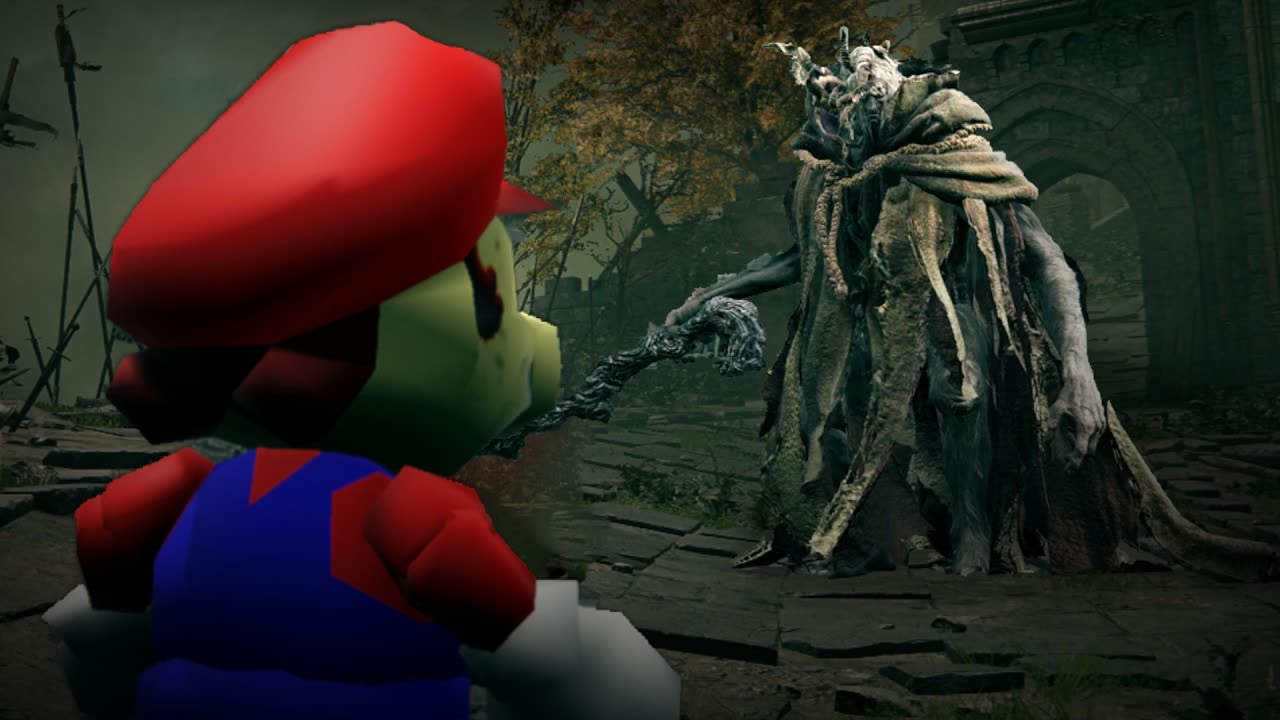
  • GratuitER MarioActionSouls-likePlateformesJouerGratuit
    ER MarioElden Ring × Super Mario 64

    Jouer à ER Mario

    1. Étape 1 : Copiez le prompt
    2. Étape 2 : Collez-le dans Claude Code ou Codex
    3. Étape 3 : Votre agent s’occupe de l’installation. Jouez.

    Gratuit. Il vous faut vos propres exemplaires de Elden Ring et Super Mario 64 sur un PC Windows.

    Voir ce que fait le prompt
    Help me install and play "ER Mario" (Elden Ring x Super Mario 64), a fan-made mod by deltarooo: https://github.com/deltarooo/er-mario
    
    Do the technical work yourself and tell me plainly what you could not do or test. Downloads are your job, not mine: get the mod and everything it needs (loaders, launchers, runtimes) from their official sources, and tell me what you installed and where. Only hand something to me when it truly needs me (a login, a purchase, a Windows permission prompt), with the direct link and exactly what to click.
    
    1. Read the project's README and latest release first. Tell me in two or three lines what it is, what it needs, and anything its known issues say I should avoid.
    2. Find my copies of the games yourself (Steam, Epic, Xbox and other library folders). If one is missing, or is the wrong version for this mod, stop and tell me what to get. Never download games, game files or ROMs from anywhere; the mod runs on copies I own.
    3. Safety check before anything runs: download only from the creator's release linked above and the official sites of the loaders it names. Scan every downloaded file with Microsoft Defender ("%ProgramFiles%\Windows Defender\MpCmdRun.exe" -Scan -ScanType 3 -File "<the download folder>"), and read the project's open issues for security reports. If anything is flagged, stop and tell me what and where. Don't run anything as administrator unless the README requires it, and ask me first.
    4. Before changing anything, back up every game file and save you will touch, and keep a list of what you change so I can undo it.
    5. Install the mod exactly as its README says, using the loaders it names. If the README offers a mod manager route and a manual route, pick the one that needs less from me.
    6. Start the game the way the README says and check that it loads (the README usually says how to tell). If it fails, read the logs, fix what you can, and tell me what is left.
    7. If it has multiplayer, tell me in one or two lines how my friends join.
    8. Finish with: what you installed, what the safety check found, how I start it next time, and how I remove it and restore my files.
    
    Play offline when the mod says so, and never use it in online modes with anti-cheat. If you get stuck on how the game or mod works, universal-modder (https://github.com/rehan-remade/universal-modder) has skills for working out a game's engine and loaders.
    
    Start now: begin with step 1.
  • GratuitFortCraftTirBac à sableActionJouerGratuit
    FortCraftMinecraft × Team Fortress 2

    Jouer à FortCraft

    Summer vérifie tes jeux et configure FortCraft quand tu appuies sur Jouer dans l’application de bureau. Il te faut Minecraft: Java Edition ainsi que les gratuits Team Fortress 2 et Source SDK Base 2013 Multiplayer.

    Recherche de la dernière version…

    Télécharger Summer Games

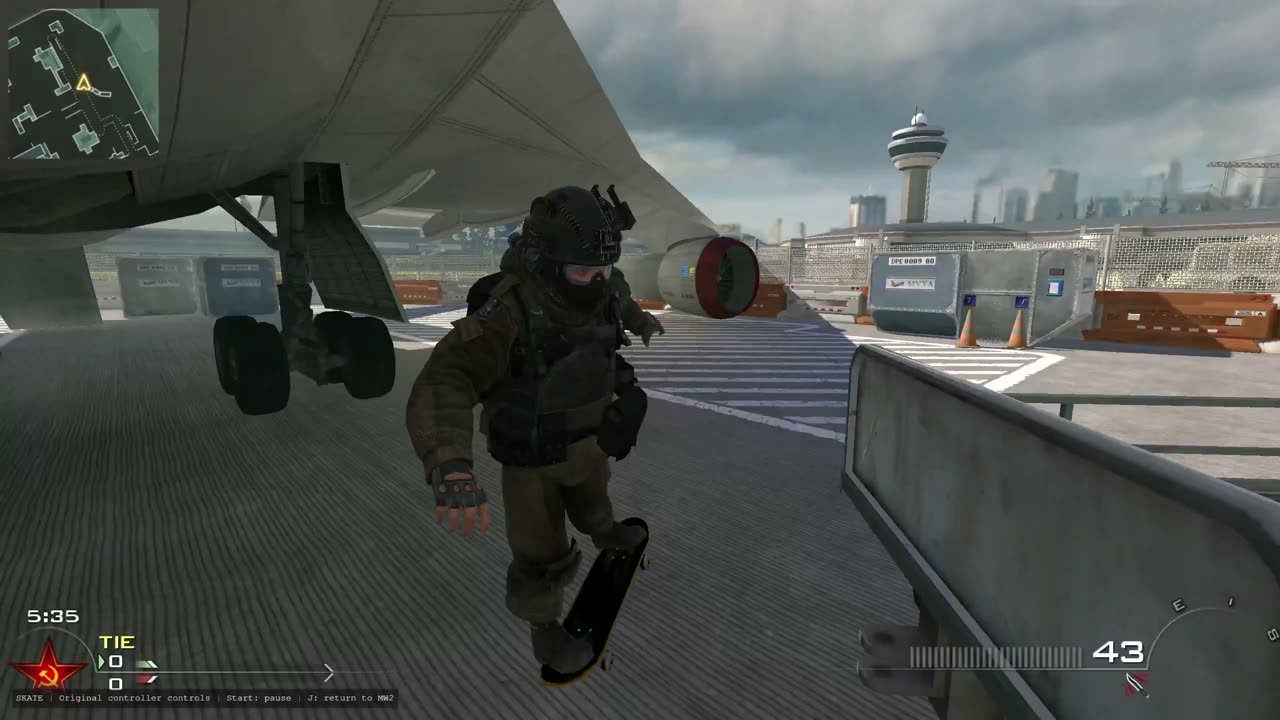
  • Gratuit2010 Rust RewriteTirSkateboardBac à sableMultijoueurJouerGratuit
    2010 Rust RewriteModern Warfare 2 × Skate 3 × Minecraft

    Jouer à 2010 Rust Rewrite

    1. Étape 1 : Copiez le prompt
    2. Étape 2 : Collez-le dans Claude Code ou Codex
    3. Étape 3 : Votre agent s’occupe de l’installation. Jouez.

    Gratuit. Il vous faut vos propres exemplaires de Modern Warfare 2 et Skate 3 et Minecraft sur un PC Windows.

    Voir ce que fait le prompt
    Help me install and play "2010 Rust Rewrite" (Modern Warfare 2 x Skate 3 x Minecraft), a fan-made mod by chasmlol: https://github.com/chasmlol/2010-rust-rewrite-mashup
    
    Do the technical work yourself and tell me plainly what you could not do or test. Downloads are your job, not mine: get the mod and everything it needs (loaders, launchers, runtimes) from their official sources, and tell me what you installed and where. Only hand something to me when it truly needs me (a login, a purchase, a Windows permission prompt), with the direct link and exactly what to click.
    
    1. Read the project's README and latest release first. Tell me in two or three lines what it is, what it needs, and anything its known issues say I should avoid.
    2. Find my copies of the games yourself (Steam, Epic, Xbox and other library folders). If one is missing, or is the wrong version for this mod, stop and tell me what to get. Never download games, game files or ROMs from anywhere; the mod runs on copies I own.
    3. Safety check before anything runs: download only from the creator's release linked above and the official sites of the loaders it names. Scan every downloaded file with Microsoft Defender ("%ProgramFiles%\Windows Defender\MpCmdRun.exe" -Scan -ScanType 3 -File "<the download folder>"), and read the project's open issues for security reports. If anything is flagged, stop and tell me what and where. Don't run anything as administrator unless the README requires it, and ask me first.
    4. Before changing anything, back up every game file and save you will touch, and keep a list of what you change so I can undo it.
    5. Install the mod exactly as its README says, using the loaders it names. If the README offers a mod manager route and a manual route, pick the one that needs less from me.
    6. Start the game the way the README says and check that it loads (the README usually says how to tell). If it fails, read the logs, fix what you can, and tell me what is left.
    7. If it has multiplayer, tell me in one or two lines how my friends join.
    8. Finish with: what you installed, what the safety check found, how I start it next time, and how I remove it and restore my files.
    
    Play offline when the mod says so, and never use it in online modes with anti-cheat. If you get stuck on how the game or mod works, universal-modder (https://github.com/rehan-remade/universal-modder) has skills for working out a game's engine and loaders.
    
    Start now: begin with step 1.
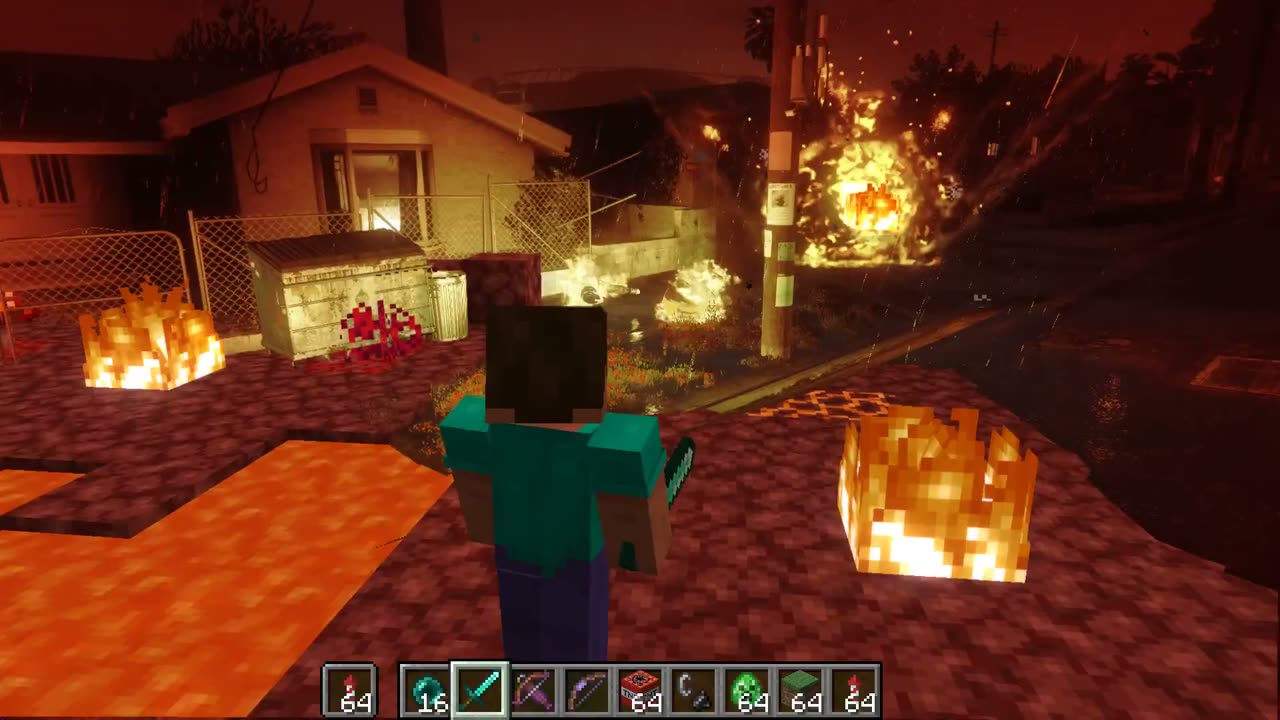
  • GratuitMinecraft in GTA VMonde ouvertBac à sableActionJouerGratuit
    Minecraft in GTA VGTA V × Minecraft

    Jouer à Minecraft in GTA V

    1. Étape 1 : Copiez le prompt
    2. Étape 2 : Collez-le dans Claude Code ou Codex
    3. Étape 3 : Votre agent s’occupe de l’installation. Jouez.

    Gratuit. Il vous faut vos propres exemplaires de GTA V et Minecraft sur un PC Windows.

    Voir ce que fait le prompt
    Help me install and play "Minecraft in GTA V" (GTA V x Minecraft), a fan-made mod by rehan-remade: https://github.com/rehan-remade/universal-modder/tree/main/examples/minecraft-gta5-passthrough
    
    Do the technical work yourself and tell me plainly what you could not do or test. Downloads are your job, not mine: get the mod and everything it needs (loaders, launchers, runtimes) from their official sources, and tell me what you installed and where. Only hand something to me when it truly needs me (a login, a purchase, a Windows permission prompt), with the direct link and exactly what to click.
    
    1. Read the project's README and latest release first. Tell me in two or three lines what it is, what it needs, and anything its known issues say I should avoid.
    2. Find my copies of the games yourself (Steam, Epic, Xbox and other library folders). If one is missing, or is the wrong version for this mod, stop and tell me what to get. Never download games, game files or ROMs from anywhere; the mod runs on copies I own.
    3. Safety check before anything runs: download only from the creator's release linked above and the official sites of the loaders it names. Scan every downloaded file with Microsoft Defender ("%ProgramFiles%\Windows Defender\MpCmdRun.exe" -Scan -ScanType 3 -File "<the download folder>"), and read the project's open issues for security reports. If anything is flagged, stop and tell me what and where. Don't run anything as administrator unless the README requires it, and ask me first.
    4. Before changing anything, back up every game file and save you will touch, and keep a list of what you change so I can undo it.
    5. Install the mod exactly as its README says, using the loaders it names. If the README offers a mod manager route and a manual route, pick the one that needs less from me.
    6. Start the game the way the README says and check that it loads (the README usually says how to tell). If it fails, read the logs, fix what you can, and tell me what is left.
    7. If it has multiplayer, tell me in one or two lines how my friends join.
    8. Finish with: what you installed, what the safety check found, how I start it next time, and how I remove it and restore my files.
    
    Play offline when the mod says so, and never use it in online modes with anti-cheat. If you get stuck on how the game or mod works, universal-modder (https://github.com/rehan-remade/universal-modder) has skills for working out a game's engine and loaders.
    
    Start now: begin with step 1.
  • Accueil
  • Jeux
  • Boutique
  • À venir
  • Vous