Summer GamesSummer Games
esc

Popular

↑↓ Navigate⌘K to open and closeSearch ↵
Carica
Summer Games

Grandi giochi. Nuove possibilità. Un po’ più di Summer.

Negozio

  • Tutti i giochi
  • In arrivo e game jam
  • App desktop
  • Negozio oggetti
  • Mod
  • Liste di giochi
  • Creato con Summer Engine
  • Bacheca delle idee
  • Sparks

Account

  • Libreria
  • Acquisti
  • Impostazioni
  • Collega un’app di IA

Per sviluppatori

  • Pubblica il tuo gioco
  • Per gli studi
  • Crea con Summer Engine
  • Roadmap

Assistenza e note legali

  • Assistenza
  • Stampa
  • Kit del marchio
  • Termini
  • Privacy
  • Rimborsi
  • Guida per i genitori
  • Regole della community

© 2026 Summer Labs, Inc. Tutti i diritti riservati.

  • Home
  • Giochi
  • Negozio
  • In arrivo
  • Tu
GiochiIn arrivoNegozio oggettiIdee
Scarica l’app
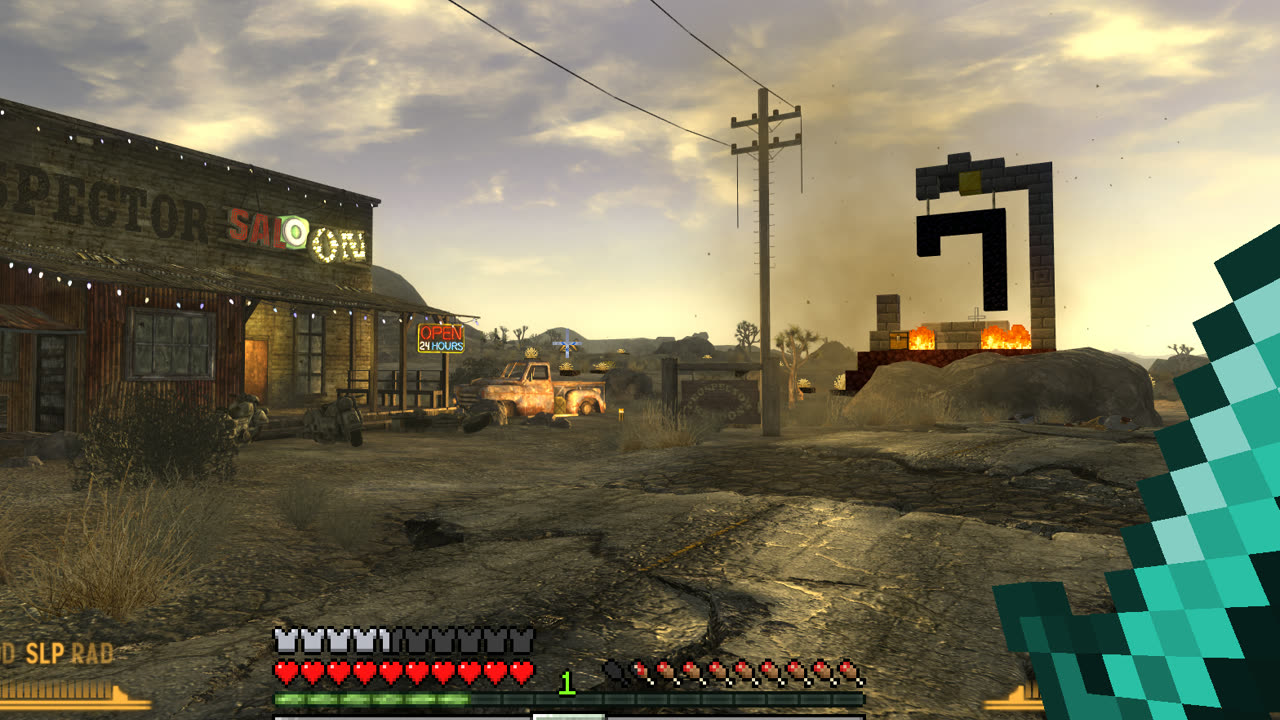
VegasCraft: Fallout: New Vegas e Minecraft insieme

Fallout: New Vegas × Minecraft

VegasCraft

Play Fallout: New Vegas as a Minecraft player: Minecraft movement, inventory, blocks and combat in the Mojave.

Gioca a VegasCraft

  1. Passo 1: Copia il prompt
  2. Passo 2: Incollalo in Claude Code o Codex
  3. Passo 3: Il tuo agente prepara tutto. Gioca.

Gratis. Ti serve una copia tua di Fallout: New Vegas e Minecraft su un PC Windows.

Scopri cosa fa il prompt
Help me install and play "VegasCraft" (Fallout: New Vegas x Minecraft), a fan-made mod by benedettoscala: https://github.com/benedettoscala/VegasCraft

Do the technical work yourself and tell me plainly what you could not do or test. Downloads are your job, not mine: get the mod and everything it needs (loaders, launchers, runtimes) from their official sources, and tell me what you installed and where. Only hand something to me when it truly needs me (a login, a purchase, a Windows permission prompt), with the direct link and exactly what to click.

1. Read the project's README and latest release first. Tell me in two or three lines what it is, what it needs, and anything its known issues say I should avoid.
2. Find my copies of the games yourself (Steam, Epic, Xbox and other library folders). If one is missing, or is the wrong version for this mod, stop and tell me what to get. Never download games, game files or ROMs from anywhere; the mod runs on copies I own.
3. Safety check before anything runs: download only from the creator's release linked above and the official sites of the loaders it names. Scan every downloaded file with Microsoft Defender ("%ProgramFiles%\Windows Defender\MpCmdRun.exe" -Scan -ScanType 3 -File "<the download folder>"), and read the project's open issues for security reports. If anything is flagged, stop and tell me what and where. Don't run anything as administrator unless the README requires it, and ask me first.
4. Before changing anything, back up every game file and save you will touch, and keep a list of what you change so I can undo it.
5. Install the mod exactly as its README says, using the loaders it names. If the README offers a mod manager route and a manual route, pick the one that needs less from me.
6. Start the game the way the README says and check that it loads (the README usually says how to tell). If it fails, read the logs, fix what you can, and tell me what is left.
7. If it has multiplayer, tell me in one or two lines how my friends join.
8. Finish with: what you installed, what the safety check found, how I start it next time, and how I remove it and restore my files.

Play offline when the mod says so, and never use it in online modes with anti-cheat. If you get stuck on how the game or mod works, universal-modder (https://github.com/rehan-remade/universal-modder) has skills for working out a game's engine and loaders.

Start now: begin with step 1.


Richiede
Fallout: New Vegas, Minecraft. Gratis se li possiedi entrambi.
Prezzo
Gratis
Piattaforma
PC Windows
Creata da
benedettoscala
Giocatori
Giocatore singolo

Informazioni

Play Fallout: New Vegas with Minecraft's movement, inventory, blocks and combat. New Vegas draws the Mojave and its people, while you build, mine and fight as a Minecraft player with a Minecraft-style Pip-Boy.

  • Minecraft movement, blocks, inventory and HUD in the Mojave
  • A Minecraft-style Pip-Boy with stats, items, quests, radio and the world map
  • Fire, aim and reload New Vegas guns; melee uses Minecraft's swing
  • Minecraft trees, animals and monsters appear in the Mojave
  • Dig into the desert ground and place blocks in the hole
  • Switch between first and third person with F5
Open in ClaudeOpen in ChatGPT

Ti serve

  • Fallout: New Vegas on PC with xNVSE
  • A Microsoft account that owns Minecraft: Java Edition
  • Windows PC

Attenzione

  • Experimental: many parts still need in-game testing
  • New Vegas saves and the Minecraft world are separate; loading an old save won't undo your blocks
  • Use G to enter doors and talk; E opens the Minecraft inventory

Un progetto di fan di benedettoscala, ospitato sulla sua pagina (0.2.2, MIT). Non affiliato agli editori dei giochi. Avviso sulle mod

Altre mod

Vedi tutte
  • GratisFortCraftSparatuttoSandboxAzioneGiocaGratis
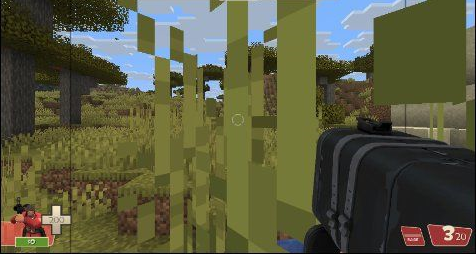
    FortCraftMinecraft × Team Fortress 2

    Gioca a FortCraft

    Summer controlla i tuoi giochi e configura FortCraft quando premi Gioca nell’app desktop. Ti servono Minecraft: Java Edition e i gratuiti Team Fortress 2 e Source SDK Base 2013 Multiplayer.

    Controllo dell’ultima versione…

    Scarica Summer Games

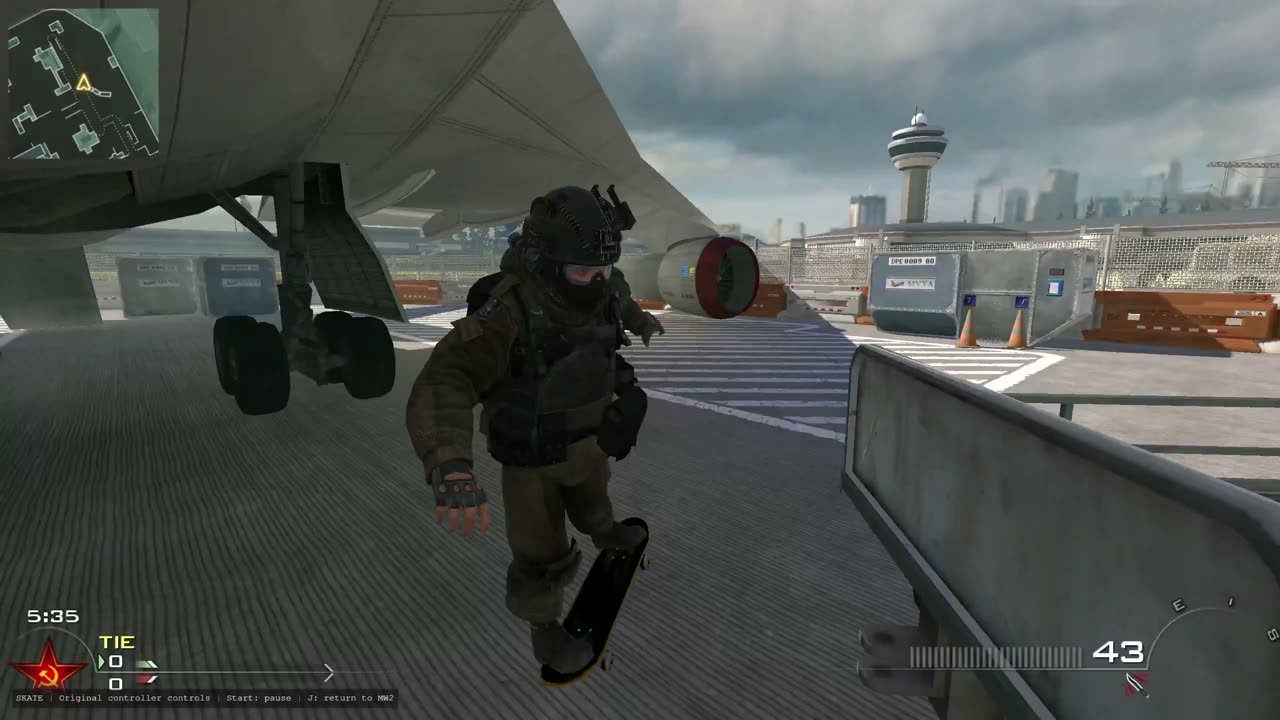
  • Gratis2010 Rust RewriteSparatuttoSkateboardSandboxMultigiocatoreGiocaGratis
    2010 Rust RewriteModern Warfare 2 × Skate 3 × Minecraft

    Gioca a 2010 Rust Rewrite

    1. Passo 1: Copia il prompt
    2. Passo 2: Incollalo in Claude Code o Codex
    3. Passo 3: Il tuo agente prepara tutto. Gioca.

    Gratis. Ti serve una copia tua di Modern Warfare 2 e Skate 3 e Minecraft su un PC Windows.

    Scopri cosa fa il prompt
    Help me install and play "2010 Rust Rewrite" (Modern Warfare 2 x Skate 3 x Minecraft), a fan-made mod by chasmlol: https://github.com/chasmlol/2010-rust-rewrite-mashup
    
    Do the technical work yourself and tell me plainly what you could not do or test. Downloads are your job, not mine: get the mod and everything it needs (loaders, launchers, runtimes) from their official sources, and tell me what you installed and where. Only hand something to me when it truly needs me (a login, a purchase, a Windows permission prompt), with the direct link and exactly what to click.
    
    1. Read the project's README and latest release first. Tell me in two or three lines what it is, what it needs, and anything its known issues say I should avoid.
    2. Find my copies of the games yourself (Steam, Epic, Xbox and other library folders). If one is missing, or is the wrong version for this mod, stop and tell me what to get. Never download games, game files or ROMs from anywhere; the mod runs on copies I own.
    3. Safety check before anything runs: download only from the creator's release linked above and the official sites of the loaders it names. Scan every downloaded file with Microsoft Defender ("%ProgramFiles%\Windows Defender\MpCmdRun.exe" -Scan -ScanType 3 -File "<the download folder>"), and read the project's open issues for security reports. If anything is flagged, stop and tell me what and where. Don't run anything as administrator unless the README requires it, and ask me first.
    4. Before changing anything, back up every game file and save you will touch, and keep a list of what you change so I can undo it.
    5. Install the mod exactly as its README says, using the loaders it names. If the README offers a mod manager route and a manual route, pick the one that needs less from me.
    6. Start the game the way the README says and check that it loads (the README usually says how to tell). If it fails, read the logs, fix what you can, and tell me what is left.
    7. If it has multiplayer, tell me in one or two lines how my friends join.
    8. Finish with: what you installed, what the safety check found, how I start it next time, and how I remove it and restore my files.
    
    Play offline when the mod says so, and never use it in online modes with anti-cheat. If you get stuck on how the game or mod works, universal-modder (https://github.com/rehan-remade/universal-modder) has skills for working out a game's engine and loaders.
    
    Start now: begin with step 1.
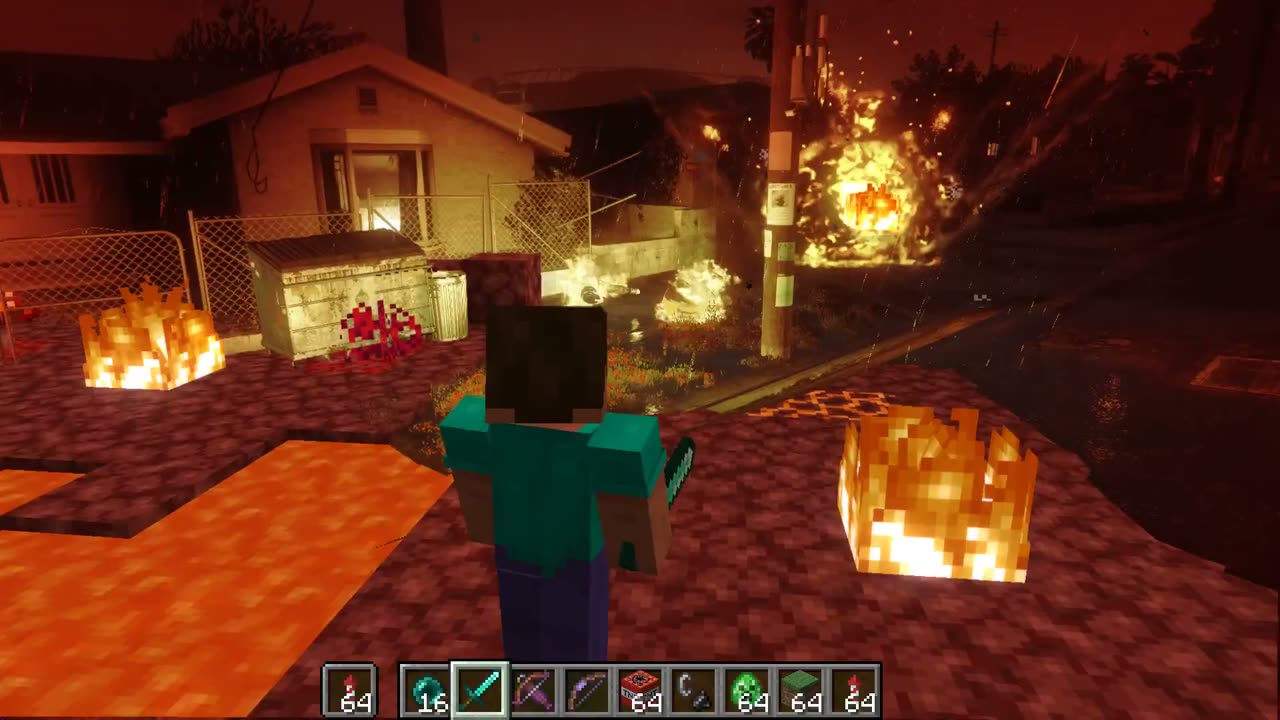
  • GratisMinecraft in GTA VOpen worldSandboxAzioneGiocaGratis
    Minecraft in GTA VGTA V × Minecraft

    Gioca a Minecraft in GTA V

    1. Passo 1: Copia il prompt
    2. Passo 2: Incollalo in Claude Code o Codex
    3. Passo 3: Il tuo agente prepara tutto. Gioca.

    Gratis. Ti serve una copia tua di GTA V e Minecraft su un PC Windows.

    Scopri cosa fa il prompt
    Help me install and play "Minecraft in GTA V" (GTA V x Minecraft), a fan-made mod by rehan-remade: https://github.com/rehan-remade/universal-modder/tree/main/examples/minecraft-gta5-passthrough
    
    Do the technical work yourself and tell me plainly what you could not do or test. Downloads are your job, not mine: get the mod and everything it needs (loaders, launchers, runtimes) from their official sources, and tell me what you installed and where. Only hand something to me when it truly needs me (a login, a purchase, a Windows permission prompt), with the direct link and exactly what to click.
    
    1. Read the project's README and latest release first. Tell me in two or three lines what it is, what it needs, and anything its known issues say I should avoid.
    2. Find my copies of the games yourself (Steam, Epic, Xbox and other library folders). If one is missing, or is the wrong version for this mod, stop and tell me what to get. Never download games, game files or ROMs from anywhere; the mod runs on copies I own.
    3. Safety check before anything runs: download only from the creator's release linked above and the official sites of the loaders it names. Scan every downloaded file with Microsoft Defender ("%ProgramFiles%\Windows Defender\MpCmdRun.exe" -Scan -ScanType 3 -File "<the download folder>"), and read the project's open issues for security reports. If anything is flagged, stop and tell me what and where. Don't run anything as administrator unless the README requires it, and ask me first.
    4. Before changing anything, back up every game file and save you will touch, and keep a list of what you change so I can undo it.
    5. Install the mod exactly as its README says, using the loaders it names. If the README offers a mod manager route and a manual route, pick the one that needs less from me.
    6. Start the game the way the README says and check that it loads (the README usually says how to tell). If it fails, read the logs, fix what you can, and tell me what is left.
    7. If it has multiplayer, tell me in one or two lines how my friends join.
    8. Finish with: what you installed, what the safety check found, how I start it next time, and how I remove it and restore my files.
    
    Play offline when the mod says so, and never use it in online modes with anti-cheat. If you get stuck on how the game or mod works, universal-modder (https://github.com/rehan-remade/universal-modder) has skills for working out a game's engine and loaders.
    
    Start now: begin with step 1.
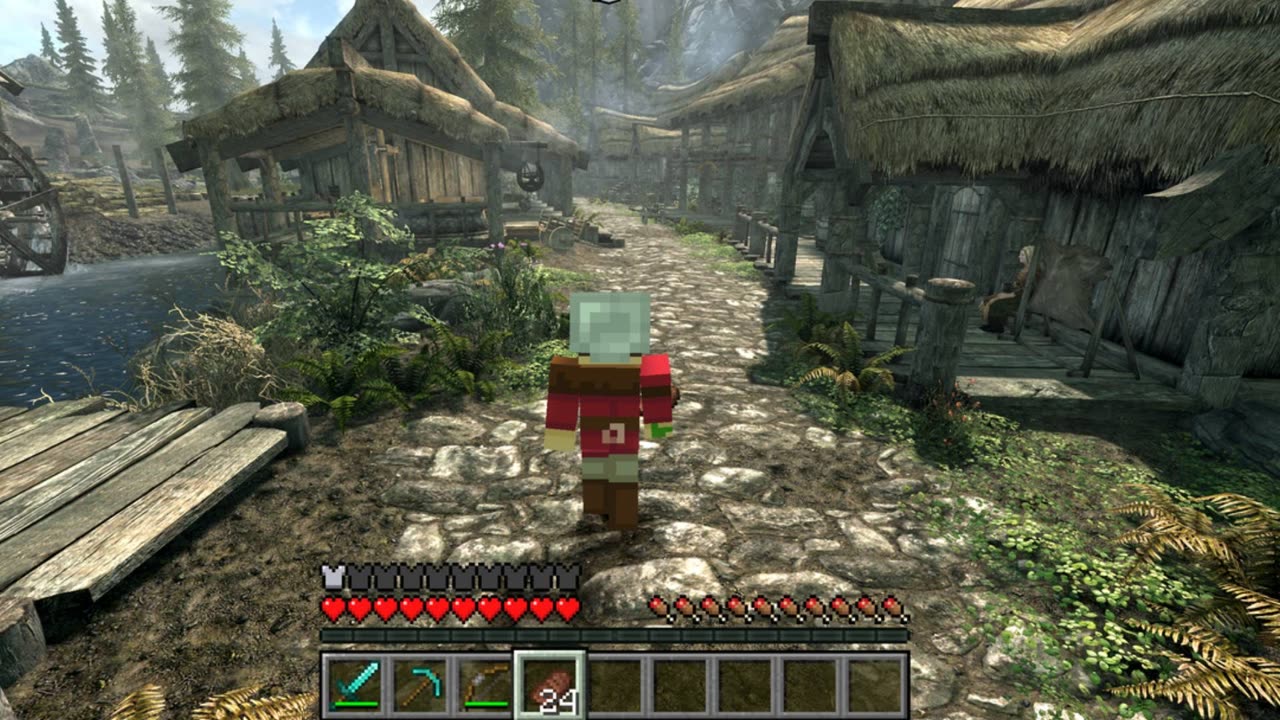
  • GratisSkyCraftOpen worldGioco di ruoloSandboxAvventuraMultigiocatoreGiocaGratis
    SkyCraftSkyrim × Minecraft

    Gioca a SkyCraft

    1. Passo 1: Copia il prompt
    2. Passo 2: Incollalo in Claude Code o Codex
    3. Passo 3: Il tuo agente prepara tutto. Gioca.

    Gratis. Ti serve una copia tua di Skyrim e Minecraft su un PC Windows.

    Scopri cosa fa il prompt
    Help me install and play "SkyCraft" (Skyrim x Minecraft), a fan-made mod by chasmlol: https://github.com/chasmlol/SkyCraft
    
    Do the technical work yourself and tell me plainly what you could not do or test. Downloads are your job, not mine: get the mod and everything it needs (loaders, launchers, runtimes) from their official sources, and tell me what you installed and where. Only hand something to me when it truly needs me (a login, a purchase, a Windows permission prompt), with the direct link and exactly what to click.
    
    1. Read the project's README and latest release first. Tell me in two or three lines what it is, what it needs, and anything its known issues say I should avoid.
    2. Find my copies of the games yourself (Steam, Epic, Xbox and other library folders). If one is missing, or is the wrong version for this mod, stop and tell me what to get. Never download games, game files or ROMs from anywhere; the mod runs on copies I own.
    3. Safety check before anything runs: download only from the creator's release linked above and the official sites of the loaders it names. Scan every downloaded file with Microsoft Defender ("%ProgramFiles%\Windows Defender\MpCmdRun.exe" -Scan -ScanType 3 -File "<the download folder>"), and read the project's open issues for security reports. If anything is flagged, stop and tell me what and where. Don't run anything as administrator unless the README requires it, and ask me first.
    4. Before changing anything, back up every game file and save you will touch, and keep a list of what you change so I can undo it.
    5. Install the mod exactly as its README says, using the loaders it names. If the README offers a mod manager route and a manual route, pick the one that needs less from me.
    6. Start the game the way the README says and check that it loads (the README usually says how to tell). If it fails, read the logs, fix what you can, and tell me what is left.
    7. If it has multiplayer, tell me in one or two lines how my friends join.
    8. Finish with: what you installed, what the safety check found, how I start it next time, and how I remove it and restore my files.
    
    Play offline when the mod says so, and never use it in online modes with anti-cheat. If you get stuck on how the game or mod works, universal-modder (https://github.com/rehan-remade/universal-modder) has skills for working out a game's engine and loaders.
    
    Start now: begin with step 1.
  • Home
  • Giochi
  • Negozio
  • In arrivo
  • Tu