Summer GamesSummer Games
esc

Popular

↑↓ Navigate⌘K to open and closeSearch ↵
アップロード
Summer Games

すごいゲーム。新しい可能性。毎日にもう少しSummerを。

ストア

  • すべてのゲーム
  • 近日公開とゲームジャム
  • デスクトップアプリ
  • アイテムショップ
  • MOD
  • ゲームリスト
  • Summer Engine製のゲーム
  • アイデアボード
  • Sparks

アカウント

  • ライブラリ
  • 購入履歴
  • 設定
  • AIアプリを接続

開発者向け

  • ゲームを公開
  • スタジオ向け
  • Summer Engineで作る
  • ロードマップ

ヘルプと規約

  • サポート
  • プレス
  • ブランドキット
  • 利用規約
  • プライバシー
  • 返金
  • 保護者の方へ
  • コミュニティ基準

© 2026 Summer Labs, Inc. All rights reserved.

  • ホーム
  • ゲーム
  • ショップ
  • 近日公開
  • マイページ
ゲーム近日公開アイテムショップアイデア
アプリを入手
制作者による動画

Halo: Combat Evolved × Super Mario 64

SMC64

Play Halo: Combat Evolved as Mario, with Super Mario 64’s real movement, punches and kicks against the Covenant.

SMC64をプレイ

  1. ステップ1: プロンプトをコピー
  2. ステップ2: Claude CodeまたはCodexに貼り付け
  3. ステップ3: エージェントがセットアップ。あとは遊ぶだけ。

無料です。Windows PCと、自分で持っているHalo: Combat Evolved と Super Mario 64が必要です。

プロンプトの内容を見る
Help me install and play "SMC64" (Halo: Combat Evolved x Super Mario 64), a fan-made mod by KodyJKing: https://github.com/KodyJKing/smc64

Do the technical work yourself and tell me plainly what you could not do or test. Downloads are your job, not mine: get the mod and everything it needs (loaders, launchers, runtimes) from their official sources, and tell me what you installed and where. Only hand something to me when it truly needs me (a login, a purchase, a Windows permission prompt), with the direct link and exactly what to click.

1. Read the project's README and latest release first. Tell me in two or three lines what it is, what it needs, and anything its known issues say I should avoid.
2. Find my copies of the games yourself (Steam, Epic, Xbox and other library folders). If one is missing, or is the wrong version for this mod, stop and tell me what to get. Never download games, game files or ROMs from anywhere; the mod runs on copies I own.
3. Safety check before anything runs: download only from the creator's release linked above and the official sites of the loaders it names. Scan every downloaded file with Microsoft Defender ("%ProgramFiles%\Windows Defender\MpCmdRun.exe" -Scan -ScanType 3 -File "<the download folder>"), and read the project's open issues for security reports. If anything is flagged, stop and tell me what and where. Don't run anything as administrator unless the README requires it, and ask me first.
4. Before changing anything, back up every game file and save you will touch, and keep a list of what you change so I can undo it.
5. Install the mod exactly as its README says, using the loaders it names. If the README offers a mod manager route and a manual route, pick the one that needs less from me.
6. Start the game the way the README says and check that it loads (the README usually says how to tell). If it fails, read the logs, fix what you can, and tell me what is left.
7. If it has multiplayer, tell me in one or two lines how my friends join.
8. Finish with: what you installed, what the safety check found, how I start it next time, and how I remove it and restore my files.

Play offline when the mod says so, and never use it in online modes with anti-cheat. If you get stuck on how the game or mod works, universal-modder (https://github.com/rehan-remade/universal-modder) has skills for working out a game's engine and loaders.

Start now: begin with step 1.


必要なゲーム
Halo: Combat Evolved, Super Mario 64。両方持っていれば無料です。
価格
基本プレイ無料
プラットフォーム
Windows PC
制作
KodyJKing
プレイ人数
シングルプレイヤー

概要

Play Halo: Combat Evolved as Super Mario 64's Mario. Run, jump and wall kick through the campaign, fight its enemies and get in and out of its vehicles.

  • Super Mario 64's movement through Halo: Combat Evolved's campaign levels
  • Fight Halo's enemies as Mario
  • Get in and out of Halo's vehicles
  • Remap every Mario control, with an in-game keybind menu
  • Zoom the camera in and out
  • ▶Kody King's alpha release video
Open in ClaudeOpen in ChatGPT

必要なもの

  • Halo: The Master Chief Collection on Steam
  • Your own Super Mario 64 ROM (US version)
  • Windows PC, started without Easy Anti-Cheat

ご注意

  • Alpha: expect crashes, bugs and soft-locks
  • Start MCC without Easy Anti-Cheat
  • The maps download replaces Halo CE map files; back yours up first, or restore them with Steam's Verify Integrity
  • A crash on The Truth and Reconciliation is still being fixed

KodyJKingによるファンプロジェクトで、制作者のページ(v0.0.4-alpha, none stated)で配布されています。各ゲームのパブリッシャーとは関係ありません。 MODに関する注意事項

その他のMOD

すべて見る
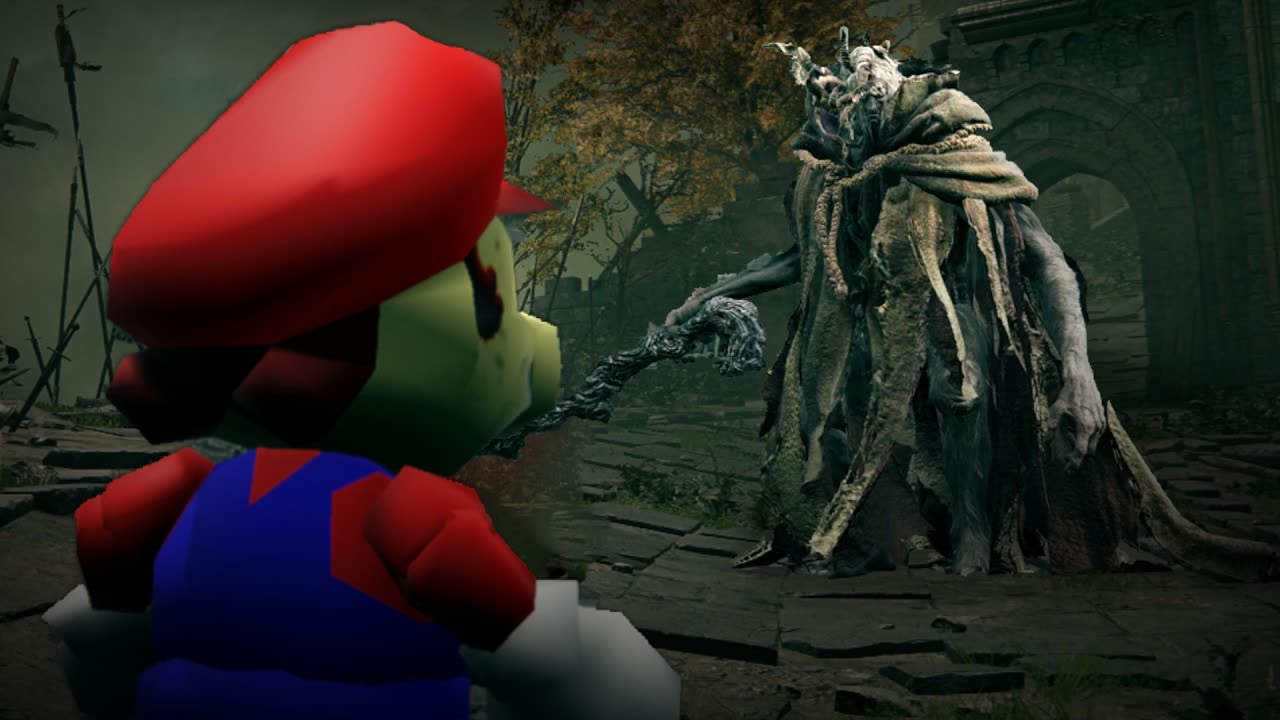
  • 基本プレイ無料ER MarioアクションSouls-likeプラットフォーマープレイ基本プレイ無料
    ER MarioElden Ring × Super Mario 64

    ER Marioをプレイ

    1. ステップ1: プロンプトをコピー
    2. ステップ2: Claude CodeまたはCodexに貼り付け
    3. ステップ3: エージェントがセットアップ。あとは遊ぶだけ。

    無料です。Windows PCと、自分で持っているElden Ring と Super Mario 64が必要です。

    プロンプトの内容を見る
    Help me install and play "ER Mario" (Elden Ring x Super Mario 64), a fan-made mod by deltarooo: https://github.com/deltarooo/er-mario
    
    Do the technical work yourself and tell me plainly what you could not do or test. Downloads are your job, not mine: get the mod and everything it needs (loaders, launchers, runtimes) from their official sources, and tell me what you installed and where. Only hand something to me when it truly needs me (a login, a purchase, a Windows permission prompt), with the direct link and exactly what to click.
    
    1. Read the project's README and latest release first. Tell me in two or three lines what it is, what it needs, and anything its known issues say I should avoid.
    2. Find my copies of the games yourself (Steam, Epic, Xbox and other library folders). If one is missing, or is the wrong version for this mod, stop and tell me what to get. Never download games, game files or ROMs from anywhere; the mod runs on copies I own.
    3. Safety check before anything runs: download only from the creator's release linked above and the official sites of the loaders it names. Scan every downloaded file with Microsoft Defender ("%ProgramFiles%\Windows Defender\MpCmdRun.exe" -Scan -ScanType 3 -File "<the download folder>"), and read the project's open issues for security reports. If anything is flagged, stop and tell me what and where. Don't run anything as administrator unless the README requires it, and ask me first.
    4. Before changing anything, back up every game file and save you will touch, and keep a list of what you change so I can undo it.
    5. Install the mod exactly as its README says, using the loaders it names. If the README offers a mod manager route and a manual route, pick the one that needs less from me.
    6. Start the game the way the README says and check that it loads (the README usually says how to tell). If it fails, read the logs, fix what you can, and tell me what is left.
    7. If it has multiplayer, tell me in one or two lines how my friends join.
    8. Finish with: what you installed, what the safety check found, how I start it next time, and how I remove it and restore my files.
    
    Play offline when the mod says so, and never use it in online modes with anti-cheat. If you get stuck on how the game or mod works, universal-modder (https://github.com/rehan-remade/universal-modder) has skills for working out a game's engine and loaders.
    
    Start now: begin with step 1.
  • 基本プレイ無料FortCraftシューティングサンドボックスアクションプレイ基本プレイ無料
    FortCraftMinecraft × Team Fortress 2

    FortCraftをプレイ

    デスクトップアプリで「プレイ」を押すと、Summerがゲームを確認し、FortCraftをセットアップします。Minecraft: Java Editionと、無料のTeam Fortress 2およびSource SDK Base 2013 Multiplayerが必要です。

    最新バージョンを確認しています…

    Summer Gamesを入手

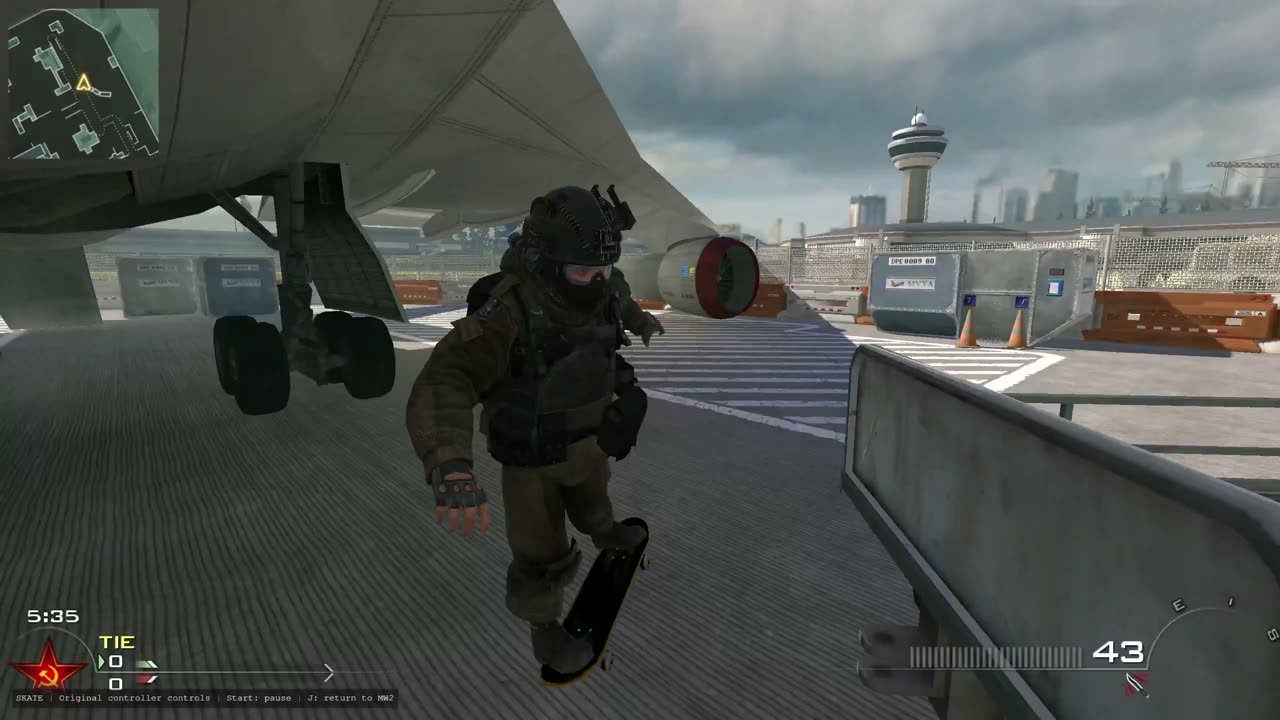
  • 基本プレイ無料2010 Rust Rewriteシューティングスケートボードサンドボックスマルチプレイヤープレイ基本プレイ無料
    2010 Rust RewriteModern Warfare 2 × Skate 3 × Minecraft

    2010 Rust Rewriteをプレイ

    1. ステップ1: プロンプトをコピー
    2. ステップ2: Claude CodeまたはCodexに貼り付け
    3. ステップ3: エージェントがセットアップ。あとは遊ぶだけ。

    無料です。Windows PCと、自分で持っているModern Warfare 2 と Skate 3 と Minecraftが必要です。

    プロンプトの内容を見る
    Help me install and play "2010 Rust Rewrite" (Modern Warfare 2 x Skate 3 x Minecraft), a fan-made mod by chasmlol: https://github.com/chasmlol/2010-rust-rewrite-mashup
    
    Do the technical work yourself and tell me plainly what you could not do or test. Downloads are your job, not mine: get the mod and everything it needs (loaders, launchers, runtimes) from their official sources, and tell me what you installed and where. Only hand something to me when it truly needs me (a login, a purchase, a Windows permission prompt), with the direct link and exactly what to click.
    
    1. Read the project's README and latest release first. Tell me in two or three lines what it is, what it needs, and anything its known issues say I should avoid.
    2. Find my copies of the games yourself (Steam, Epic, Xbox and other library folders). If one is missing, or is the wrong version for this mod, stop and tell me what to get. Never download games, game files or ROMs from anywhere; the mod runs on copies I own.
    3. Safety check before anything runs: download only from the creator's release linked above and the official sites of the loaders it names. Scan every downloaded file with Microsoft Defender ("%ProgramFiles%\Windows Defender\MpCmdRun.exe" -Scan -ScanType 3 -File "<the download folder>"), and read the project's open issues for security reports. If anything is flagged, stop and tell me what and where. Don't run anything as administrator unless the README requires it, and ask me first.
    4. Before changing anything, back up every game file and save you will touch, and keep a list of what you change so I can undo it.
    5. Install the mod exactly as its README says, using the loaders it names. If the README offers a mod manager route and a manual route, pick the one that needs less from me.
    6. Start the game the way the README says and check that it loads (the README usually says how to tell). If it fails, read the logs, fix what you can, and tell me what is left.
    7. If it has multiplayer, tell me in one or two lines how my friends join.
    8. Finish with: what you installed, what the safety check found, how I start it next time, and how I remove it and restore my files.
    
    Play offline when the mod says so, and never use it in online modes with anti-cheat. If you get stuck on how the game or mod works, universal-modder (https://github.com/rehan-remade/universal-modder) has skills for working out a game's engine and loaders.
    
    Start now: begin with step 1.
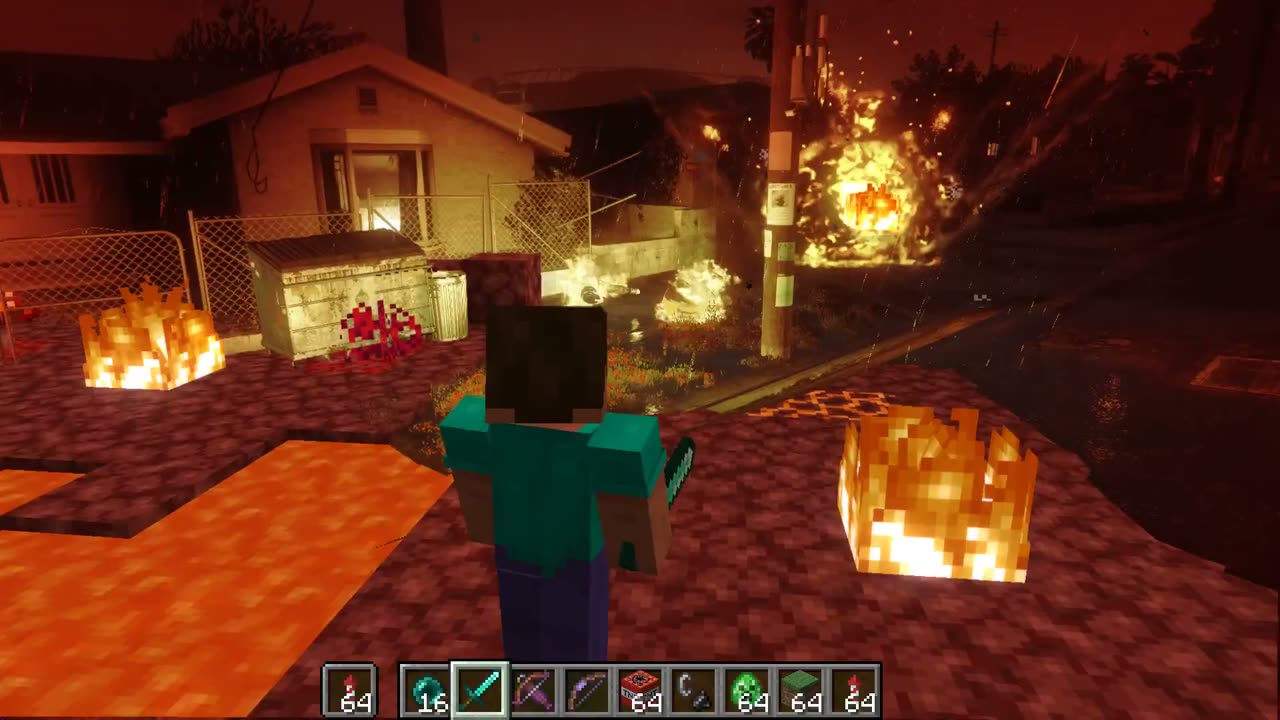
  • 基本プレイ無料Minecraft in GTA Vオープンワールドサンドボックスアクションプレイ基本プレイ無料
    Minecraft in GTA VGTA V × Minecraft

    Minecraft in GTA Vをプレイ

    1. ステップ1: プロンプトをコピー
    2. ステップ2: Claude CodeまたはCodexに貼り付け
    3. ステップ3: エージェントがセットアップ。あとは遊ぶだけ。

    無料です。Windows PCと、自分で持っているGTA V と Minecraftが必要です。

    プロンプトの内容を見る
    Help me install and play "Minecraft in GTA V" (GTA V x Minecraft), a fan-made mod by rehan-remade: https://github.com/rehan-remade/universal-modder/tree/main/examples/minecraft-gta5-passthrough
    
    Do the technical work yourself and tell me plainly what you could not do or test. Downloads are your job, not mine: get the mod and everything it needs (loaders, launchers, runtimes) from their official sources, and tell me what you installed and where. Only hand something to me when it truly needs me (a login, a purchase, a Windows permission prompt), with the direct link and exactly what to click.
    
    1. Read the project's README and latest release first. Tell me in two or three lines what it is, what it needs, and anything its known issues say I should avoid.
    2. Find my copies of the games yourself (Steam, Epic, Xbox and other library folders). If one is missing, or is the wrong version for this mod, stop and tell me what to get. Never download games, game files or ROMs from anywhere; the mod runs on copies I own.
    3. Safety check before anything runs: download only from the creator's release linked above and the official sites of the loaders it names. Scan every downloaded file with Microsoft Defender ("%ProgramFiles%\Windows Defender\MpCmdRun.exe" -Scan -ScanType 3 -File "<the download folder>"), and read the project's open issues for security reports. If anything is flagged, stop and tell me what and where. Don't run anything as administrator unless the README requires it, and ask me first.
    4. Before changing anything, back up every game file and save you will touch, and keep a list of what you change so I can undo it.
    5. Install the mod exactly as its README says, using the loaders it names. If the README offers a mod manager route and a manual route, pick the one that needs less from me.
    6. Start the game the way the README says and check that it loads (the README usually says how to tell). If it fails, read the logs, fix what you can, and tell me what is left.
    7. If it has multiplayer, tell me in one or two lines how my friends join.
    8. Finish with: what you installed, what the safety check found, how I start it next time, and how I remove it and restore my files.
    
    Play offline when the mod says so, and never use it in online modes with anti-cheat. If you get stuck on how the game or mod works, universal-modder (https://github.com/rehan-remade/universal-modder) has skills for working out a game's engine and loaders.
    
    Start now: begin with step 1.
  • ホーム
  • ゲーム
  • ショップ
  • 近日公開
  • マイページ