Summer GamesSummer Games
esc

Popular

↑↓ Navigate⌘K to open and closeSearch ↵
업로드
Summer Games

멋진 게임. 새로운 가능성. 조금 더 Summer답게.

스토어

  • 모든 게임
  • 출시 예정 및 게임 잼
  • 데스크톱 앱
  • 아이템 상점
  • 모드
  • 게임 목록
  • Summer Engine으로 만든 게임
  • 아이디어 보드
  • Sparks

계정

  • 라이브러리
  • 구매 내역
  • 설정
  • AI 앱 연결

개발자용

  • 게임 출시하기
  • 스튜디오용
  • Summer Engine으로 만들기
  • 로드맵

도움말 및 법률

  • 지원
  • 보도 자료
  • 브랜드 키트
  • 이용약관
  • 개인정보 처리방침
  • 환불
  • 보호자 안내
  • 커뮤니티 기준

© 2026 Summer Labs, Inc. All rights reserved.

  • 홈
  • 게임
  • 상점
  • 출시 예정
  • 내 정보
게임출시 예정아이템 상점아이디어
앱 받기
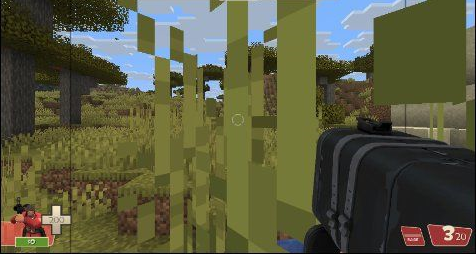
FortCraft: Minecraft 및 Team Fortress 2 조합

Minecraft × Team Fortress 2

FortCraft

Bring Team Fortress 2 weapons into a Minecraft world you can build and break.

FortCraft 플레이

데스크톱 앱에서 플레이를 누르면 Summer가 게임을 확인하고 FortCraft를 설정합니다. Minecraft: Java Edition과 무료 게임인 Team Fortress 2, Source SDK Base 2013 Multiplayer가 필요합니다.

최신 버전을 확인하는 중…

Summer Games 받기

필요한 게임
Minecraft, Team Fortress 2. 둘 다 보유하면 무료예요.
가격
무료 플레이
플랫폼
Windows PC
제작
VVRLD / FortCraft contributors
플레이어
싱글 플레이어

소개

Play a Minecraft world with Team Fortress 2 weapons and combat. Summer sets up a separate Minecraft profile and starts the two games together, keeping your existing Minecraft worlds separate.

  • Move and fight with Team Fortress 2 weapons
  • Place and break Minecraft blocks in a normal terrain world
  • Keep your FortCraft world between sessions
Open in ClaudeOpen in ChatGPT

필요한 것

  • Minecraft: Java Edition on your Microsoft account
  • Team Fortress 2 and Source SDK Base 2013 Multiplayer (free on Steam)
  • Windows PC

참고하세요

  • Requires a Windows PC and Minecraft: Java Edition on your Microsoft account
  • Install the free Team Fortress 2 and Source SDK Base 2013 Multiplayer in Steam
  • Sign in with Microsoft in the Minecraft launcher on first play. FortCraft shows its startup progress and opens your world automatically when both games are ready.

VVRLD / FortCraft contributors의 팬 프로젝트로, 크리에이터 페이지(MIT for FortCraft code; Valve SDK components retain Valve's separate license and notices. Based on VVRLD's FortressCraft.)에서 호스팅돼요. 각 게임의 배급사와는 관련이 없어요. 모드 안내

다른 모드

모두 보기
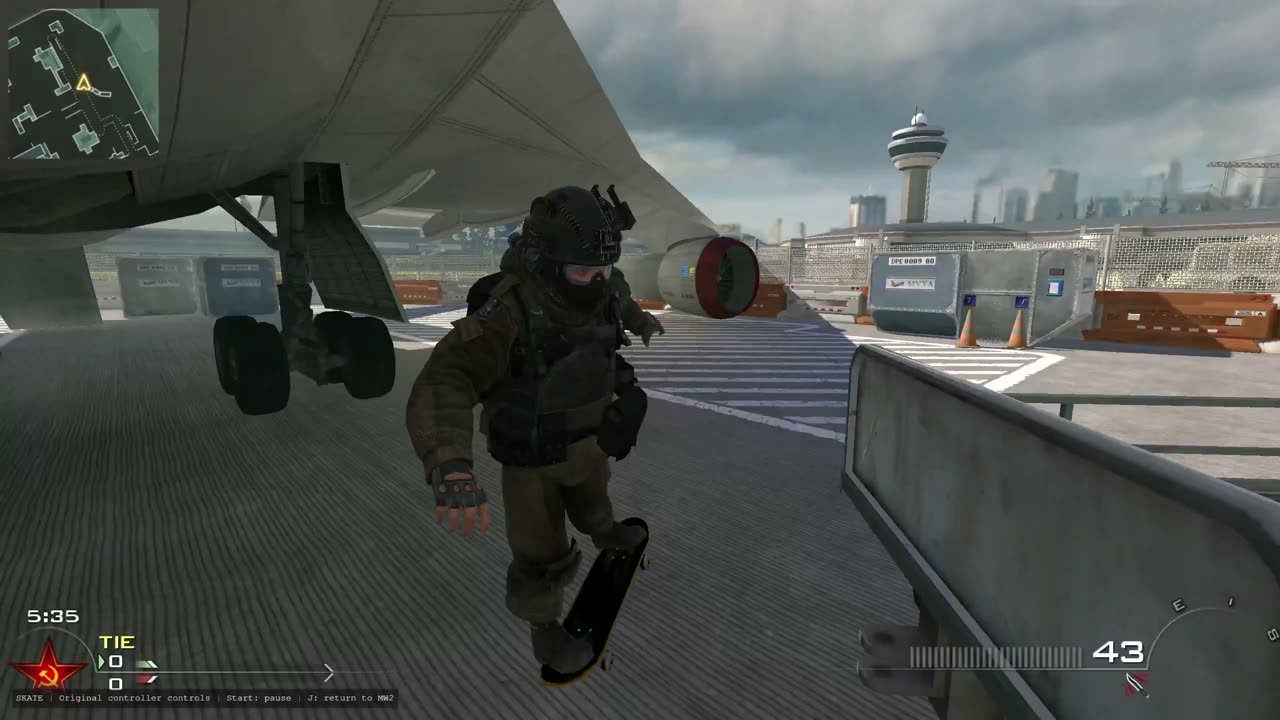
  • 무료 플레이2010 Rust Rewrite슈팅스케이트보드샌드박스멀티플레이어플레이무료 플레이
    2010 Rust RewriteModern Warfare 2 × Skate 3 × Minecraft

    2010 Rust Rewrite 플레이

    1. 1단계: 프롬프트 복사
    2. 2단계: Claude Code 또는 Codex에 붙여넣기
    3. 3단계: 에이전트가 설정해요. 이제 플레이하세요.

    무료예요. 필요한 것: Windows PC, 직접 보유한 Modern Warfare 2 및 Skate 3 및 Minecraft.

    프롬프트가 하는 일 보기
    Help me install and play "2010 Rust Rewrite" (Modern Warfare 2 x Skate 3 x Minecraft), a fan-made mod by chasmlol: https://github.com/chasmlol/2010-rust-rewrite-mashup
    
    Do the technical work yourself and tell me plainly what you could not do or test. Downloads are your job, not mine: get the mod and everything it needs (loaders, launchers, runtimes) from their official sources, and tell me what you installed and where. Only hand something to me when it truly needs me (a login, a purchase, a Windows permission prompt), with the direct link and exactly what to click.
    
    1. Read the project's README and latest release first. Tell me in two or three lines what it is, what it needs, and anything its known issues say I should avoid.
    2. Find my copies of the games yourself (Steam, Epic, Xbox and other library folders). If one is missing, or is the wrong version for this mod, stop and tell me what to get. Never download games, game files or ROMs from anywhere; the mod runs on copies I own.
    3. Safety check before anything runs: download only from the creator's release linked above and the official sites of the loaders it names. Scan every downloaded file with Microsoft Defender ("%ProgramFiles%\Windows Defender\MpCmdRun.exe" -Scan -ScanType 3 -File "<the download folder>"), and read the project's open issues for security reports. If anything is flagged, stop and tell me what and where. Don't run anything as administrator unless the README requires it, and ask me first.
    4. Before changing anything, back up every game file and save you will touch, and keep a list of what you change so I can undo it.
    5. Install the mod exactly as its README says, using the loaders it names. If the README offers a mod manager route and a manual route, pick the one that needs less from me.
    6. Start the game the way the README says and check that it loads (the README usually says how to tell). If it fails, read the logs, fix what you can, and tell me what is left.
    7. If it has multiplayer, tell me in one or two lines how my friends join.
    8. Finish with: what you installed, what the safety check found, how I start it next time, and how I remove it and restore my files.
    
    Play offline when the mod says so, and never use it in online modes with anti-cheat. If you get stuck on how the game or mod works, universal-modder (https://github.com/rehan-remade/universal-modder) has skills for working out a game's engine and loaders.
    
    Start now: begin with step 1.


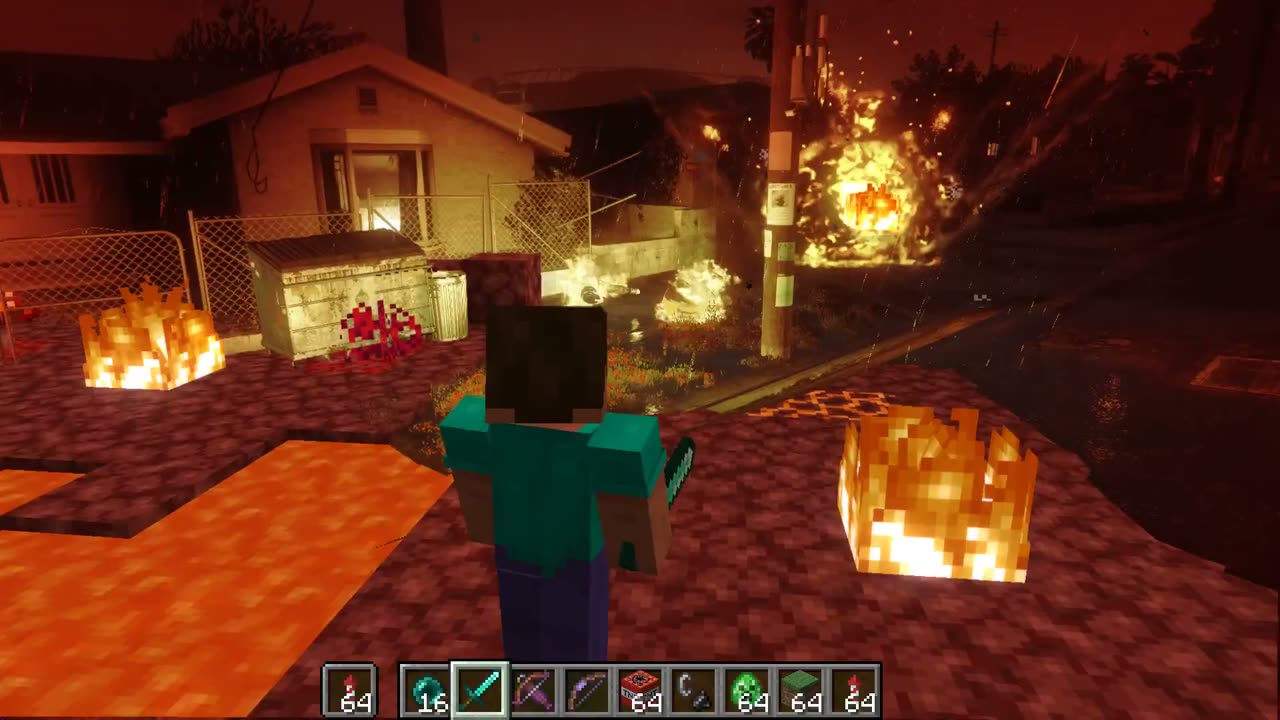
  • 무료 플레이Minecraft in GTA V오픈 월드샌드박스액션플레이무료 플레이
    Minecraft in GTA VGTA V × Minecraft

    Minecraft in GTA V 플레이

    1. 1단계: 프롬프트 복사
    2. 2단계: Claude Code 또는 Codex에 붙여넣기
    3. 3단계: 에이전트가 설정해요. 이제 플레이하세요.

    무료예요. 필요한 것: Windows PC, 직접 보유한 GTA V 및 Minecraft.

    프롬프트가 하는 일 보기
    Help me install and play "Minecraft in GTA V" (GTA V x Minecraft), a fan-made mod by rehan-remade: https://github.com/rehan-remade/universal-modder/tree/main/examples/minecraft-gta5-passthrough
    
    Do the technical work yourself and tell me plainly what you could not do or test. Downloads are your job, not mine: get the mod and everything it needs (loaders, launchers, runtimes) from their official sources, and tell me what you installed and where. Only hand something to me when it truly needs me (a login, a purchase, a Windows permission prompt), with the direct link and exactly what to click.
    
    1. Read the project's README and latest release first. Tell me in two or three lines what it is, what it needs, and anything its known issues say I should avoid.
    2. Find my copies of the games yourself (Steam, Epic, Xbox and other library folders). If one is missing, or is the wrong version for this mod, stop and tell me what to get. Never download games, game files or ROMs from anywhere; the mod runs on copies I own.
    3. Safety check before anything runs: download only from the creator's release linked above and the official sites of the loaders it names. Scan every downloaded file with Microsoft Defender ("%ProgramFiles%\Windows Defender\MpCmdRun.exe" -Scan -ScanType 3 -File "<the download folder>"), and read the project's open issues for security reports. If anything is flagged, stop and tell me what and where. Don't run anything as administrator unless the README requires it, and ask me first.
    4. Before changing anything, back up every game file and save you will touch, and keep a list of what you change so I can undo it.
    5. Install the mod exactly as its README says, using the loaders it names. If the README offers a mod manager route and a manual route, pick the one that needs less from me.
    6. Start the game the way the README says and check that it loads (the README usually says how to tell). If it fails, read the logs, fix what you can, and tell me what is left.
    7. If it has multiplayer, tell me in one or two lines how my friends join.
    8. Finish with: what you installed, what the safety check found, how I start it next time, and how I remove it and restore my files.
    
    Play offline when the mod says so, and never use it in online modes with anti-cheat. If you get stuck on how the game or mod works, universal-modder (https://github.com/rehan-remade/universal-modder) has skills for working out a game's engine and loaders.
    
    Start now: begin with step 1.
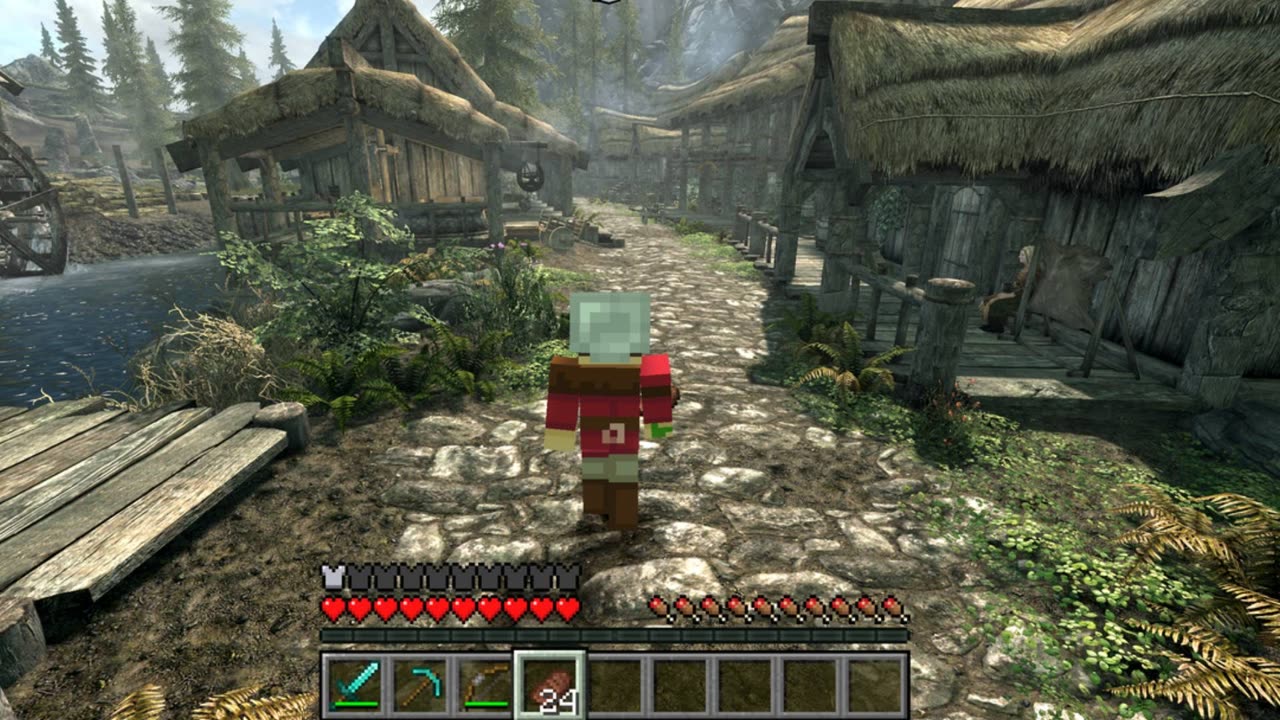
  • 무료 플레이SkyCraft오픈 월드롤플레잉샌드박스어드벤처멀티플레이어플레이무료 플레이
    SkyCraftSkyrim × Minecraft

    SkyCraft 플레이

    1. 1단계: 프롬프트 복사
    2. 2단계: Claude Code 또는 Codex에 붙여넣기
    3. 3단계: 에이전트가 설정해요. 이제 플레이하세요.

    무료예요. 필요한 것: Windows PC, 직접 보유한 Skyrim 및 Minecraft.

    프롬프트가 하는 일 보기
    Help me install and play "SkyCraft" (Skyrim x Minecraft), a fan-made mod by chasmlol: https://github.com/chasmlol/SkyCraft
    
    Do the technical work yourself and tell me plainly what you could not do or test. Downloads are your job, not mine: get the mod and everything it needs (loaders, launchers, runtimes) from their official sources, and tell me what you installed and where. Only hand something to me when it truly needs me (a login, a purchase, a Windows permission prompt), with the direct link and exactly what to click.
    
    1. Read the project's README and latest release first. Tell me in two or three lines what it is, what it needs, and anything its known issues say I should avoid.
    2. Find my copies of the games yourself (Steam, Epic, Xbox and other library folders). If one is missing, or is the wrong version for this mod, stop and tell me what to get. Never download games, game files or ROMs from anywhere; the mod runs on copies I own.
    3. Safety check before anything runs: download only from the creator's release linked above and the official sites of the loaders it names. Scan every downloaded file with Microsoft Defender ("%ProgramFiles%\Windows Defender\MpCmdRun.exe" -Scan -ScanType 3 -File "<the download folder>"), and read the project's open issues for security reports. If anything is flagged, stop and tell me what and where. Don't run anything as administrator unless the README requires it, and ask me first.
    4. Before changing anything, back up every game file and save you will touch, and keep a list of what you change so I can undo it.
    5. Install the mod exactly as its README says, using the loaders it names. If the README offers a mod manager route and a manual route, pick the one that needs less from me.
    6. Start the game the way the README says and check that it loads (the README usually says how to tell). If it fails, read the logs, fix what you can, and tell me what is left.
    7. If it has multiplayer, tell me in one or two lines how my friends join.
    8. Finish with: what you installed, what the safety check found, how I start it next time, and how I remove it and restore my files.
    
    Play offline when the mod says so, and never use it in online modes with anti-cheat. If you get stuck on how the game or mod works, universal-modder (https://github.com/rehan-remade/universal-modder) has skills for working out a game's engine and loaders.
    
    Start now: begin with step 1.
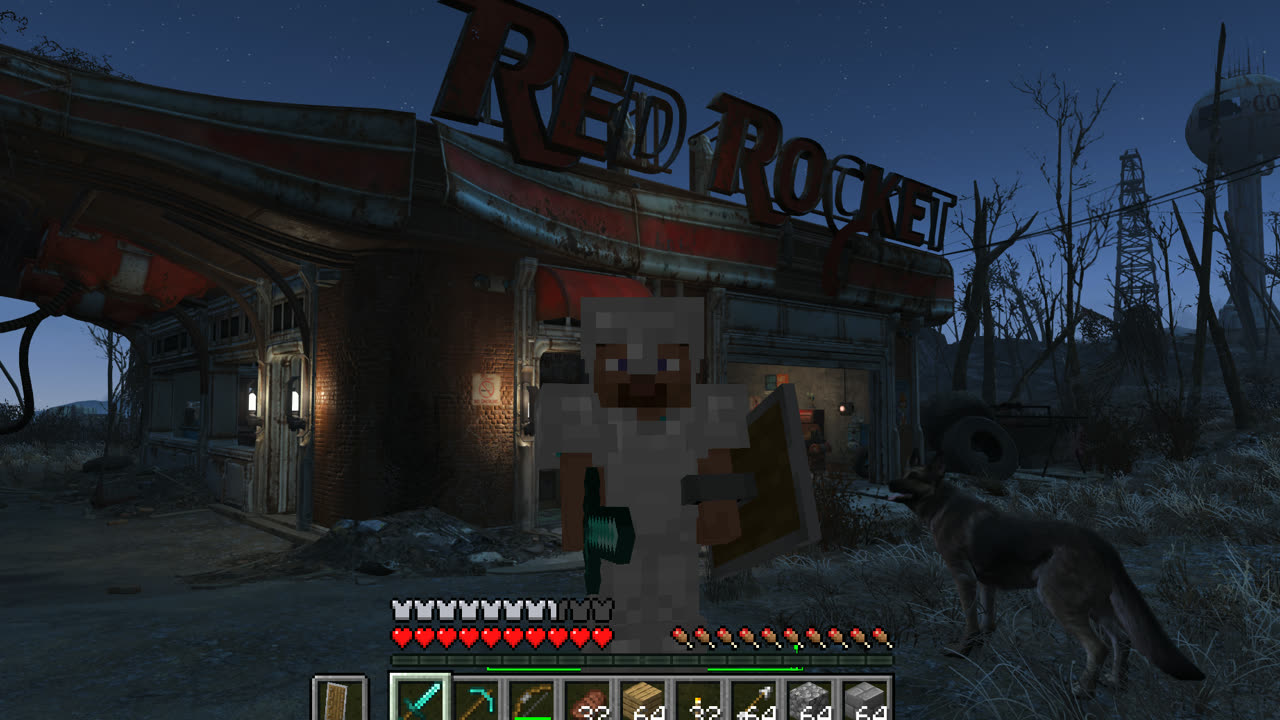
  • 무료 플레이FalloutCraft오픈 월드롤플레잉샌드박스Post-apocalyptic플레이무료 플레이
    FalloutCraftFallout 4 × Minecraft

    FalloutCraft 플레이

    1. 1단계: 프롬프트 복사
    2. 2단계: Claude Code 또는 Codex에 붙여넣기
    3. 3단계: 에이전트가 설정해요. 이제 플레이하세요.

    무료예요. 필요한 것: Windows PC, 직접 보유한 Fallout 4 및 Minecraft.

    프롬프트가 하는 일 보기
    Help me install and play "FalloutCraft" (Fallout 4 x Minecraft), a fan-made mod by zeyvu: https://github.com/zeyvu/FalloutCraft
    
    Do the technical work yourself and tell me plainly what you could not do or test. Downloads are your job, not mine: get the mod and everything it needs (loaders, launchers, runtimes) from their official sources, and tell me what you installed and where. Only hand something to me when it truly needs me (a login, a purchase, a Windows permission prompt), with the direct link and exactly what to click.
    
    1. Read the project's README and latest release first. Tell me in two or three lines what it is, what it needs, and anything its known issues say I should avoid.
    2. Find my copies of the games yourself (Steam, Epic, Xbox and other library folders). If one is missing, or is the wrong version for this mod, stop and tell me what to get. Never download games, game files or ROMs from anywhere; the mod runs on copies I own.
    3. Safety check before anything runs: download only from the creator's release linked above and the official sites of the loaders it names. Scan every downloaded file with Microsoft Defender ("%ProgramFiles%\Windows Defender\MpCmdRun.exe" -Scan -ScanType 3 -File "<the download folder>"), and read the project's open issues for security reports. If anything is flagged, stop and tell me what and where. Don't run anything as administrator unless the README requires it, and ask me first.
    4. Before changing anything, back up every game file and save you will touch, and keep a list of what you change so I can undo it.
    5. Install the mod exactly as its README says, using the loaders it names. If the README offers a mod manager route and a manual route, pick the one that needs less from me.
    6. Start the game the way the README says and check that it loads (the README usually says how to tell). If it fails, read the logs, fix what you can, and tell me what is left.
    7. If it has multiplayer, tell me in one or two lines how my friends join.
    8. Finish with: what you installed, what the safety check found, how I start it next time, and how I remove it and restore my files.
    
    Play offline when the mod says so, and never use it in online modes with anti-cheat. If you get stuck on how the game or mod works, universal-modder (https://github.com/rehan-remade/universal-modder) has skills for working out a game's engine and loaders.
    
    Start now: begin with step 1.
  • 홈
  • 게임
  • 상점
  • 출시 예정
  • 내 정보