Summer GamesSummer Games
esc

Popular

↑↓ Navigate⌘K to open and closeSearch ↵
Загрузить
Summer Games

Отличные игры. Новые возможности. Чуть больше Summer.

Магазин

  • Все игры
  • Скоро выйдут и геймджемы
  • Приложение для компьютера
  • Магазин предметов
  • Моды
  • Подборки игр
  • Сделано на Summer Engine
  • Доска идей
  • Sparks

Аккаунт

  • Библиотека
  • Покупки
  • Настройки
  • Подключить ИИ-приложение

Для разработчиков

  • Опубликовать свою игру
  • Для студий
  • Создавайте в Summer Engine
  • Планы развития

Помощь и правовая информация

  • Поддержка
  • Для прессы
  • Материалы бренда
  • Условия использования
  • Конфиденциальность
  • Возвраты
  • Руководство для родителей
  • Правила сообщества

© 2026 Summer Labs, Inc. Все права защищены.

  • Главная
  • Игры
  • Магазин
  • Скоро выйдут
  • Вы
ИгрыСкоро выйдутМагазин предметовИдеи
Скачать приложение
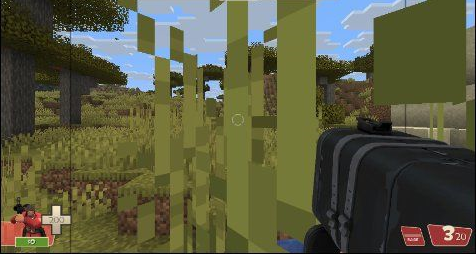
FortCraft: Minecraft и Team Fortress 2 вместе

Minecraft × Team Fortress 2

FortCraft

Bring Team Fortress 2 weapons into a Minecraft world you can build and break.

Играть в FortCraft

Summer проверит игры и настроит FortCraft, когда ты нажмёшь «Играть» в приложении для компьютера. Нужны Minecraft: Java Edition, а также бесплатные Team Fortress 2 и Source SDK Base 2013 Multiplayer.

Проверяем последнюю версию…

Скачать Summer Games

Требуется
Minecraft, Team Fortress 2. Бесплатно, если у вас есть обе игры.
Цена
Бесплатно
Платформа
ПК с Windows
Автор
VVRLD / FortCraft contributors
Игроки
Одиночный

О моде

Play a Minecraft world with Team Fortress 2 weapons and combat. Summer sets up a separate Minecraft profile and starts the two games together, keeping your existing Minecraft worlds separate.

  • Move and fight with Team Fortress 2 weapons
  • Place and break Minecraft blocks in a normal terrain world
  • Keep your FortCraft world between sessions
Open in ClaudeOpen in ChatGPT

Что нужно

  • Minecraft: Java Edition on your Microsoft account
  • Team Fortress 2 and Source SDK Base 2013 Multiplayer (free on Steam)
  • Windows PC

Обратите внимание

  • Requires a Windows PC and Minecraft: Java Edition on your Microsoft account
  • Install the free Team Fortress 2 and Source SDK Base 2013 Multiplayer in Steam
  • Sign in with Microsoft in the Minecraft launcher on first play. FortCraft shows its startup progress and opens your world automatically when both games are ready.

Фанатский проект от VVRLD / FortCraft contributors, размещён на странице автора (MIT for FortCraft code; Valve SDK components retain Valve's separate license and notices. Based on VVRLD's FortressCraft.). Не связан с издателями игр. Уведомление о модах

Другие моды

Смотреть все
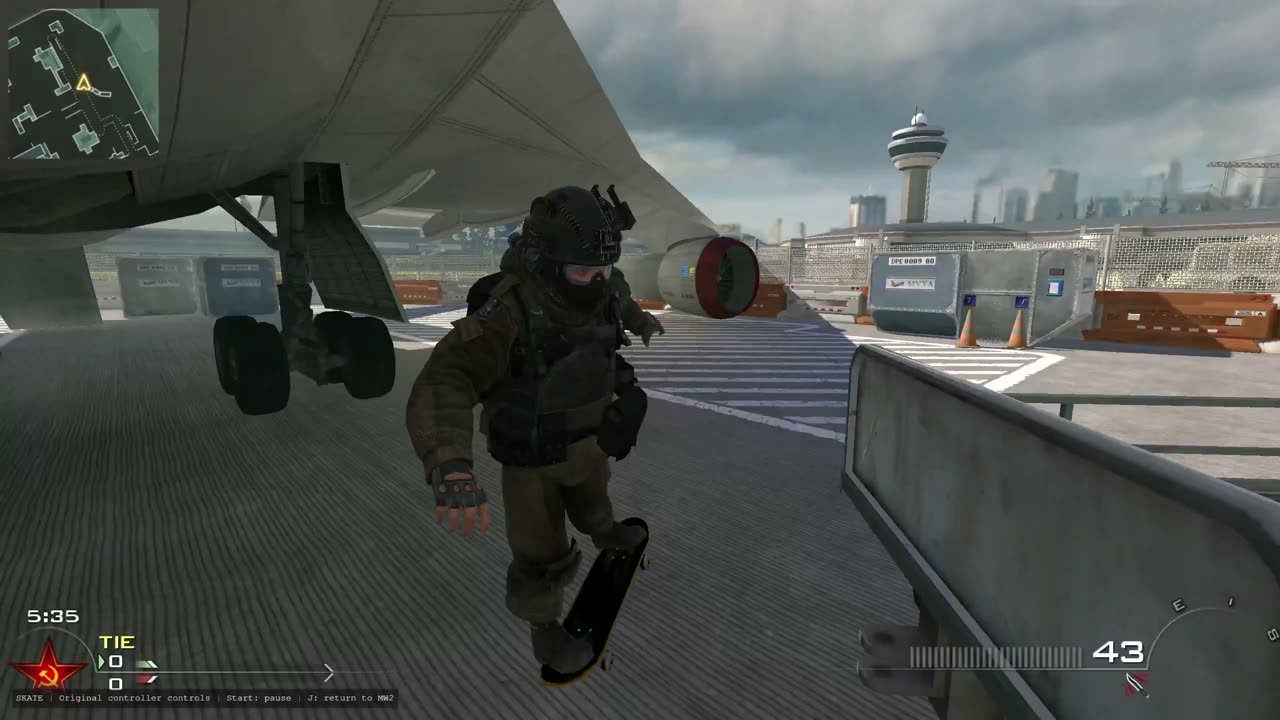
  • Бесплатно2010 Rust RewriteШутерСкейтбордингПесочницаДля нескольких игроковИгратьБесплатно
    2010 Rust RewriteModern Warfare 2 × Skate 3 × Minecraft

    Играть в 2010 Rust Rewrite

    1. Шаг 1: Скопируйте промпт
    2. Шаг 2: Вставьте его в Claude Code или Codex
    3. Шаг 3: Агент всё настроит. Играйте.

    Бесплатно. Нужен ПК с Windows и свои копии игр: Modern Warfare 2 и Skate 3 и Minecraft.

    Что делает этот промпт
    Help me install and play "2010 Rust Rewrite" (Modern Warfare 2 x Skate 3 x Minecraft), a fan-made mod by chasmlol: https://github.com/chasmlol/2010-rust-rewrite-mashup
    
    Do the technical work yourself and tell me plainly what you could not do or test. Downloads are your job, not mine: get the mod and everything it needs (loaders, launchers, runtimes) from their official sources, and tell me what you installed and where. Only hand something to me when it truly needs me (a login, a purchase, a Windows permission prompt), with the direct link and exactly what to click.
    
    1. Read the project's README and latest release first. Tell me in two or three lines what it is, what it needs, and anything its known issues say I should avoid.
    2. Find my copies of the games yourself (Steam, Epic, Xbox and other library folders). If one is missing, or is the wrong version for this mod, stop and tell me what to get. Never download games, game files or ROMs from anywhere; the mod runs on copies I own.
    3. Safety check before anything runs: download only from the creator's release linked above and the official sites of the loaders it names. Scan every downloaded file with Microsoft Defender ("%ProgramFiles%\Windows Defender\MpCmdRun.exe" -Scan -ScanType 3 -File "<the download folder>"), and read the project's open issues for security reports. If anything is flagged, stop and tell me what and where. Don't run anything as administrator unless the README requires it, and ask me first.
    4. Before changing anything, back up every game file and save you will touch, and keep a list of what you change so I can undo it.
    5. Install the mod exactly as its README says, using the loaders it names. If the README offers a mod manager route and a manual route, pick the one that needs less from me.
    6. Start the game the way the README says and check that it loads (the README usually says how to tell). If it fails, read the logs, fix what you can, and tell me what is left.
    7. If it has multiplayer, tell me in one or two lines how my friends join.
    8. Finish with: what you installed, what the safety check found, how I start it next time, and how I remove it and restore my files.
    
    Play offline when the mod says so, and never use it in online modes with anti-cheat. If you get stuck on how the game or mod works, universal-modder (https://github.com/rehan-remade/universal-modder) has skills for working out a game's engine and loaders.
    
    Start now: begin with step 1.


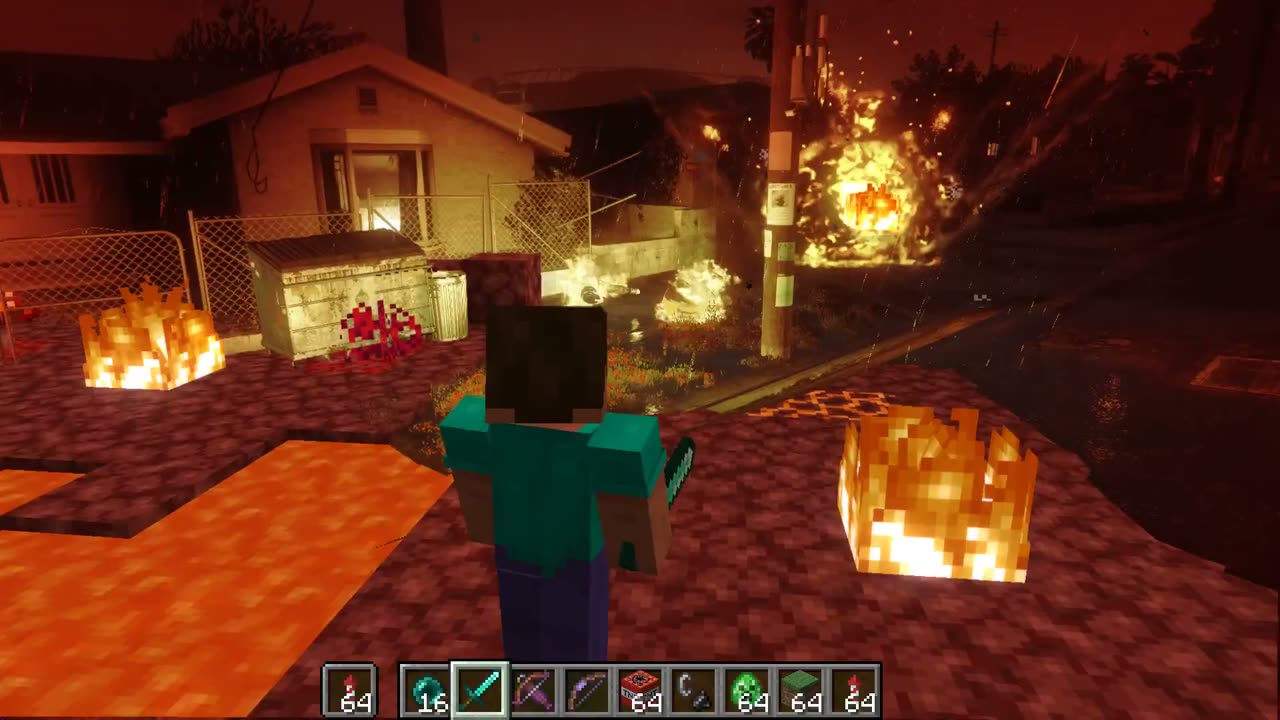
  • БесплатноMinecraft in GTA VОткрытый мирПесочницаЭкшенИгратьБесплатно
    Minecraft in GTA VGTA V × Minecraft

    Играть в Minecraft in GTA V

    1. Шаг 1: Скопируйте промпт
    2. Шаг 2: Вставьте его в Claude Code или Codex
    3. Шаг 3: Агент всё настроит. Играйте.

    Бесплатно. Нужен ПК с Windows и свои копии игр: GTA V и Minecraft.

    Что делает этот промпт
    Help me install and play "Minecraft in GTA V" (GTA V x Minecraft), a fan-made mod by rehan-remade: https://github.com/rehan-remade/universal-modder/tree/main/examples/minecraft-gta5-passthrough
    
    Do the technical work yourself and tell me plainly what you could not do or test. Downloads are your job, not mine: get the mod and everything it needs (loaders, launchers, runtimes) from their official sources, and tell me what you installed and where. Only hand something to me when it truly needs me (a login, a purchase, a Windows permission prompt), with the direct link and exactly what to click.
    
    1. Read the project's README and latest release first. Tell me in two or three lines what it is, what it needs, and anything its known issues say I should avoid.
    2. Find my copies of the games yourself (Steam, Epic, Xbox and other library folders). If one is missing, or is the wrong version for this mod, stop and tell me what to get. Never download games, game files or ROMs from anywhere; the mod runs on copies I own.
    3. Safety check before anything runs: download only from the creator's release linked above and the official sites of the loaders it names. Scan every downloaded file with Microsoft Defender ("%ProgramFiles%\Windows Defender\MpCmdRun.exe" -Scan -ScanType 3 -File "<the download folder>"), and read the project's open issues for security reports. If anything is flagged, stop and tell me what and where. Don't run anything as administrator unless the README requires it, and ask me first.
    4. Before changing anything, back up every game file and save you will touch, and keep a list of what you change so I can undo it.
    5. Install the mod exactly as its README says, using the loaders it names. If the README offers a mod manager route and a manual route, pick the one that needs less from me.
    6. Start the game the way the README says and check that it loads (the README usually says how to tell). If it fails, read the logs, fix what you can, and tell me what is left.
    7. If it has multiplayer, tell me in one or two lines how my friends join.
    8. Finish with: what you installed, what the safety check found, how I start it next time, and how I remove it and restore my files.
    
    Play offline when the mod says so, and never use it in online modes with anti-cheat. If you get stuck on how the game or mod works, universal-modder (https://github.com/rehan-remade/universal-modder) has skills for working out a game's engine and loaders.
    
    Start now: begin with step 1.
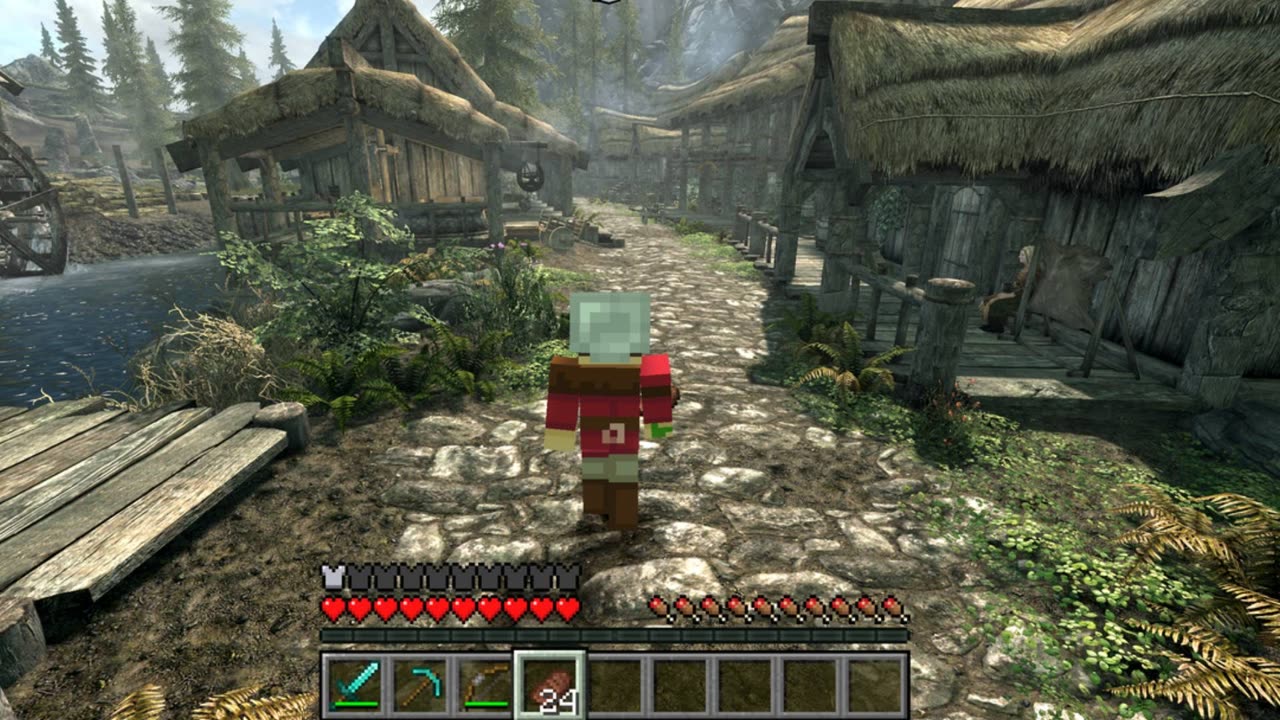
  • БесплатноSkyCraftОткрытый мирРолевая играПесочницаПриключениеДля нескольких игроковИгратьБесплатно
    SkyCraftSkyrim × Minecraft

    Играть в SkyCraft

    1. Шаг 1: Скопируйте промпт
    2. Шаг 2: Вставьте его в Claude Code или Codex
    3. Шаг 3: Агент всё настроит. Играйте.

    Бесплатно. Нужен ПК с Windows и свои копии игр: Skyrim и Minecraft.

    Что делает этот промпт
    Help me install and play "SkyCraft" (Skyrim x Minecraft), a fan-made mod by chasmlol: https://github.com/chasmlol/SkyCraft
    
    Do the technical work yourself and tell me plainly what you could not do or test. Downloads are your job, not mine: get the mod and everything it needs (loaders, launchers, runtimes) from their official sources, and tell me what you installed and where. Only hand something to me when it truly needs me (a login, a purchase, a Windows permission prompt), with the direct link and exactly what to click.
    
    1. Read the project's README and latest release first. Tell me in two or three lines what it is, what it needs, and anything its known issues say I should avoid.
    2. Find my copies of the games yourself (Steam, Epic, Xbox and other library folders). If one is missing, or is the wrong version for this mod, stop and tell me what to get. Never download games, game files or ROMs from anywhere; the mod runs on copies I own.
    3. Safety check before anything runs: download only from the creator's release linked above and the official sites of the loaders it names. Scan every downloaded file with Microsoft Defender ("%ProgramFiles%\Windows Defender\MpCmdRun.exe" -Scan -ScanType 3 -File "<the download folder>"), and read the project's open issues for security reports. If anything is flagged, stop and tell me what and where. Don't run anything as administrator unless the README requires it, and ask me first.
    4. Before changing anything, back up every game file and save you will touch, and keep a list of what you change so I can undo it.
    5. Install the mod exactly as its README says, using the loaders it names. If the README offers a mod manager route and a manual route, pick the one that needs less from me.
    6. Start the game the way the README says and check that it loads (the README usually says how to tell). If it fails, read the logs, fix what you can, and tell me what is left.
    7. If it has multiplayer, tell me in one or two lines how my friends join.
    8. Finish with: what you installed, what the safety check found, how I start it next time, and how I remove it and restore my files.
    
    Play offline when the mod says so, and never use it in online modes with anti-cheat. If you get stuck on how the game or mod works, universal-modder (https://github.com/rehan-remade/universal-modder) has skills for working out a game's engine and loaders.
    
    Start now: begin with step 1.
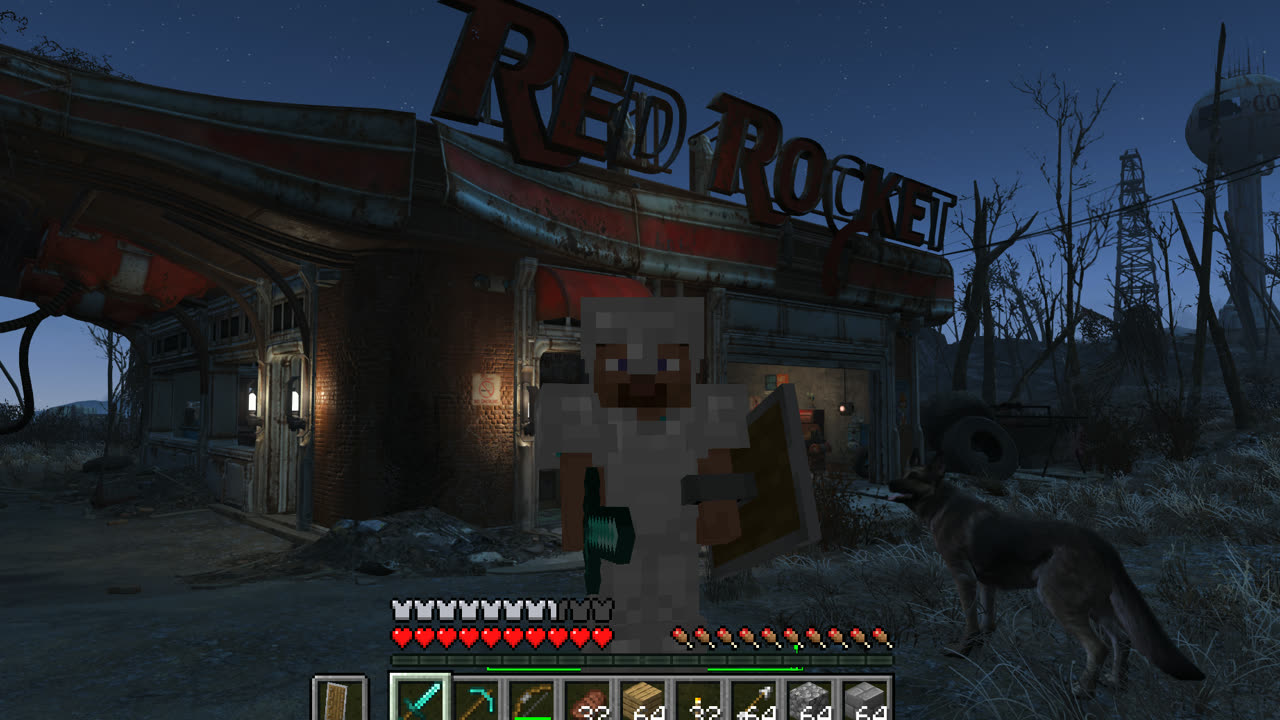
  • БесплатноFalloutCraftОткрытый мирРолевая играПесочницаPost-apocalypticИгратьБесплатно
    FalloutCraftFallout 4 × Minecraft

    Играть в FalloutCraft

    1. Шаг 1: Скопируйте промпт
    2. Шаг 2: Вставьте его в Claude Code или Codex
    3. Шаг 3: Агент всё настроит. Играйте.

    Бесплатно. Нужен ПК с Windows и свои копии игр: Fallout 4 и Minecraft.

    Что делает этот промпт
    Help me install and play "FalloutCraft" (Fallout 4 x Minecraft), a fan-made mod by zeyvu: https://github.com/zeyvu/FalloutCraft
    
    Do the technical work yourself and tell me plainly what you could not do or test. Downloads are your job, not mine: get the mod and everything it needs (loaders, launchers, runtimes) from their official sources, and tell me what you installed and where. Only hand something to me when it truly needs me (a login, a purchase, a Windows permission prompt), with the direct link and exactly what to click.
    
    1. Read the project's README and latest release first. Tell me in two or three lines what it is, what it needs, and anything its known issues say I should avoid.
    2. Find my copies of the games yourself (Steam, Epic, Xbox and other library folders). If one is missing, or is the wrong version for this mod, stop and tell me what to get. Never download games, game files or ROMs from anywhere; the mod runs on copies I own.
    3. Safety check before anything runs: download only from the creator's release linked above and the official sites of the loaders it names. Scan every downloaded file with Microsoft Defender ("%ProgramFiles%\Windows Defender\MpCmdRun.exe" -Scan -ScanType 3 -File "<the download folder>"), and read the project's open issues for security reports. If anything is flagged, stop and tell me what and where. Don't run anything as administrator unless the README requires it, and ask me first.
    4. Before changing anything, back up every game file and save you will touch, and keep a list of what you change so I can undo it.
    5. Install the mod exactly as its README says, using the loaders it names. If the README offers a mod manager route and a manual route, pick the one that needs less from me.
    6. Start the game the way the README says and check that it loads (the README usually says how to tell). If it fails, read the logs, fix what you can, and tell me what is left.
    7. If it has multiplayer, tell me in one or two lines how my friends join.
    8. Finish with: what you installed, what the safety check found, how I start it next time, and how I remove it and restore my files.
    
    Play offline when the mod says so, and never use it in online modes with anti-cheat. If you get stuck on how the game or mod works, universal-modder (https://github.com/rehan-remade/universal-modder) has skills for working out a game's engine and loaders.
    
    Start now: begin with step 1.
  • Главная
  • Игры
  • Магазин
  • Скоро выйдут
  • Вы