Summer GamesSummer Games
esc

Popular

↑↓ Navigate⌘K to open and closeSearch ↵
上传
Summer Games

好游戏,新可能。多一点 Summer。

商店

  • 所有游戏
  • 即将推出与 Game Jam
  • 桌面应用
  • 道具商店
  • 模组
  • 游戏榜单
  • 用 Summer Engine 制作
  • 创意板
  • Sparks

账户

  • 游戏库
  • 购买记录
  • 设置
  • 连接 AI 应用

开发者

  • 发布你的游戏
  • 面向工作室
  • 用 Summer Engine 制作
  • 路线图

帮助与法律

  • 客服支持
  • 媒体
  • 品牌资源包
  • 条款
  • 隐私
  • 退款
  • 家长指南
  • 社区准则

© 2026 Summer Labs, Inc. 保留所有权利。

  • 首页
  • 游戏
  • 商店
  • 即将推出
  • 我的
游戏即将推出道具商店创意
获取应用
Lofty01 on YouTube 发布的视频

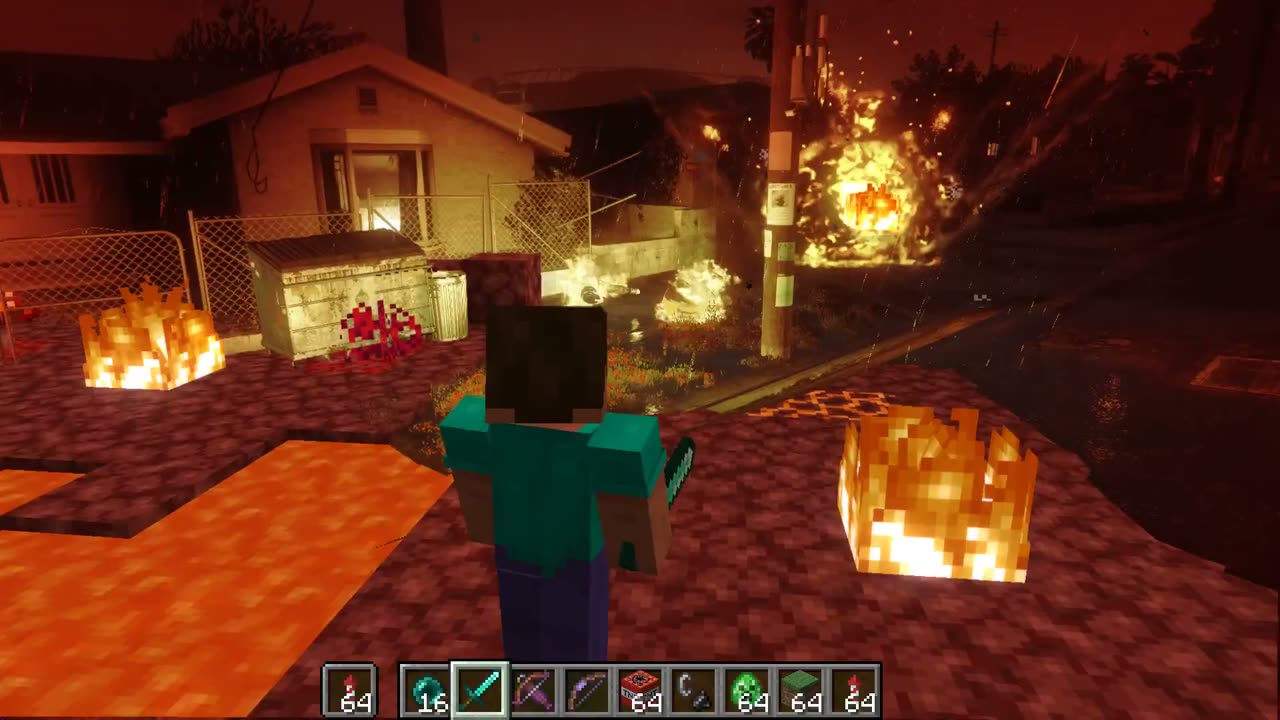
GTA IV × Minecraft

Minecraft PassthroughIV

Play Liberty City as Steve: build with blocks, blow things up with TNT and creepers, and fly over the city with an elytra.

游玩Minecraft PassthroughIV

  1. 第 1 步: 复制提示词
  2. 第 2 步: 粘贴到 Claude Code 或 Codex
  3. 第 3 步: 你的智能体会完成设置,然后开玩。

免费。你需要一台 Windows 电脑,并拥有 GTA IV 和 Minecraft 的正版。

查看提示词的作用
Help me install and play "Minecraft PassthroughIV" (GTA IV x Minecraft), a fan-made mod by Akatoshthe2nd: https://www.nexusmods.com/gta4/mods/1498

Do the technical work yourself and tell me plainly what you could not do or test. Downloads are your job, not mine: get the mod and everything it needs (loaders, launchers, runtimes) from their official sources, and tell me what you installed and where. Only hand something to me when it truly needs me (a login, a purchase, a Windows permission prompt), with the direct link and exactly what to click.

1. Read the project's README and latest release first. Tell me in two or three lines what it is, what it needs, and anything its known issues say I should avoid.
2. Find my copies of the games yourself (Steam, Epic, Xbox and other library folders). If one is missing, or is the wrong version for this mod, stop and tell me what to get. Never download games, game files or ROMs from anywhere; the mod runs on copies I own.
3. Safety check before anything runs: download only from the creator's release linked above and the official sites of the loaders it names. Scan every downloaded file with Microsoft Defender ("%ProgramFiles%\Windows Defender\MpCmdRun.exe" -Scan -ScanType 3 -File "<the download folder>"), and read the project's open issues for security reports. If anything is flagged, stop and tell me what and where. Don't run anything as administrator unless the README requires it, and ask me first.
4. Before changing anything, back up every game file and save you will touch, and keep a list of what you change so I can undo it.
5. Install the mod exactly as its README says, using the loaders it names. If the README offers a mod manager route and a manual route, pick the one that needs less from me.
6. Start the game the way the README says and check that it loads (the README usually says how to tell). If it fails, read the logs, fix what you can, and tell me what is left.
7. If it has multiplayer, tell me in one or two lines how my friends join.
8. Finish with: what you installed, what the safety check found, how I start it next time, and how I remove it and restore my files.

Play offline when the mod says so, and never use it in online modes with anti-cheat. If you get stuck on how the game or mod works, universal-modder (https://github.com/rehan-remade/universal-modder) has skills for working out a game's engine and loaders.

Start now: begin with step 1.


所需游戏
GTA IV, Minecraft。两款都拥有即可免费游玩。
价格
免费开玩
平台
Windows 电脑
制作者
Akatoshthe2nd
玩家人数
单人

简介

Real Minecraft runs next to GTA IV and is drawn into Liberty City. You play as Steve: build blocks that stop cars, blow things up with TNT and creepers, and fly over the city with an elytra.

  • Play as Steve in first or third person, with Minecraft's hotbar next to GTA's HUD
  • Build in Liberty City; your blocks are solid for people and cars
  • TNT and creepers blow up in both games
  • Fly an elytra over the city and boost with fireworks
  • Open a Nether portal and the streets catch fire under a red sky
  • Spawn Minecraft mobs, and earn wanted stars for Steve's crimes
  • ▶Video: Minecraft inside GTA IV
Open in ClaudeOpen in ChatGPT

你需要

  • GTA IV: The Complete Edition (1.2.0.59) on PC
  • A Microsoft account that owns Minecraft: Java Edition
  • Windows PC

注意事项

  • Single player only
  • Start GTA IV windowed or borderless
  • Use a separate Minecraft installation: the mod changes options and opens its own world
  • Arrows, fireworks and elytra flight pass through GTA's walls

由 Akatoshthe2nd 制作的玩家自制项目,托管在其个人页面(0.2.2, none stated)。与各游戏的发行商无关。 模组声明

更多模组

查看全部
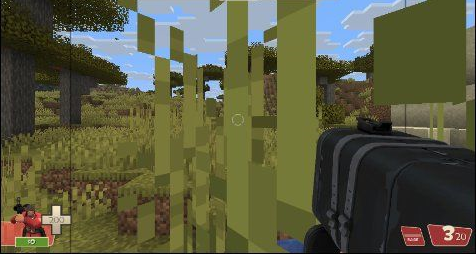
  • 免费开玩FortCraft射击沙盒动作开始游戏免费开玩
    FortCraftMinecraft × Team Fortress 2

    游玩FortCraft

    在桌面应用中点击“开始游戏”后,Summer 会检查你的游戏并设置 FortCraft。你需要 Minecraft: Java Edition,以及免费的 Team Fortress 2 和 Source SDK Base 2013 Multiplayer。

    正在检查最新版本…

    获取 Summer Games

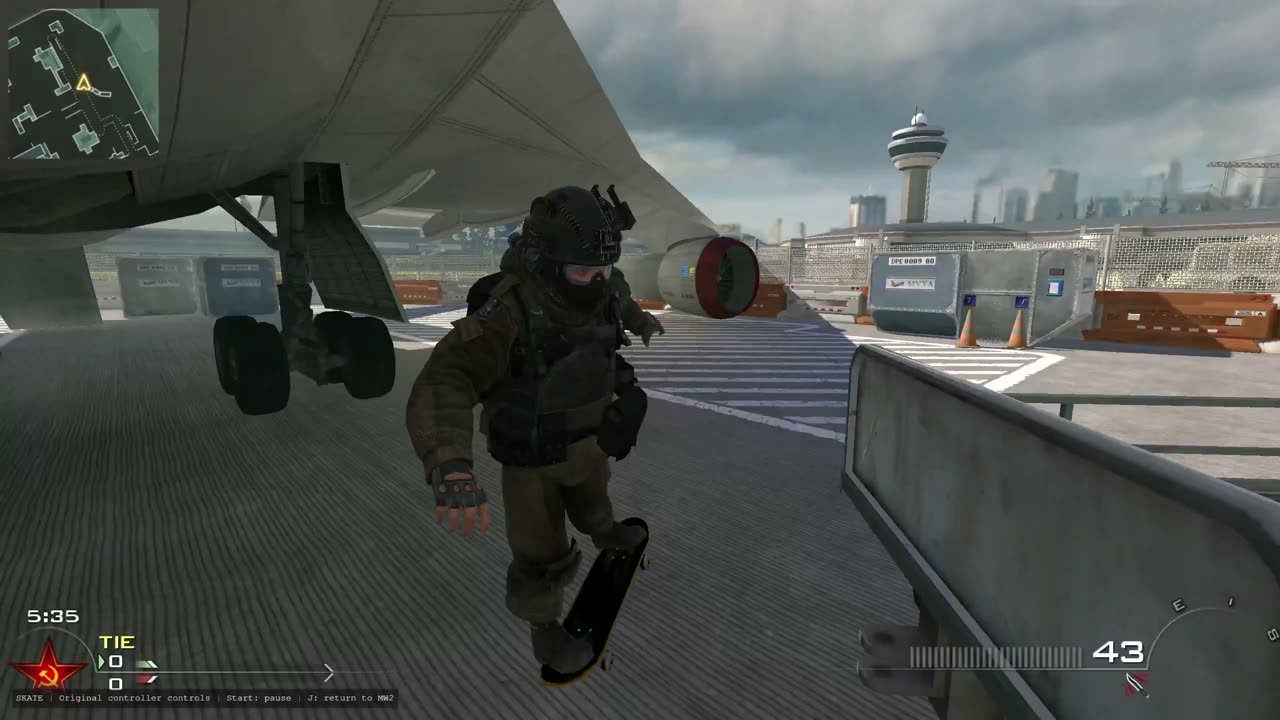
  • 免费开玩2010 Rust Rewrite射击滑板沙盒多人开始游戏免费开玩
    2010 Rust RewriteModern Warfare 2 × Skate 3 × Minecraft

    游玩2010 Rust Rewrite

    1. 第 1 步: 复制提示词
    2. 第 2 步: 粘贴到 Claude Code 或 Codex
    3. 第 3 步: 你的智能体会完成设置,然后开玩。

    免费。你需要一台 Windows 电脑,并拥有 Modern Warfare 2 和 Skate 3 和 Minecraft 的正版。

    查看提示词的作用
    Help me install and play "2010 Rust Rewrite" (Modern Warfare 2 x Skate 3 x Minecraft), a fan-made mod by chasmlol: https://github.com/chasmlol/2010-rust-rewrite-mashup
    
    Do the technical work yourself and tell me plainly what you could not do or test. Downloads are your job, not mine: get the mod and everything it needs (loaders, launchers, runtimes) from their official sources, and tell me what you installed and where. Only hand something to me when it truly needs me (a login, a purchase, a Windows permission prompt), with the direct link and exactly what to click.
    
    1. Read the project's README and latest release first. Tell me in two or three lines what it is, what it needs, and anything its known issues say I should avoid.
    2. Find my copies of the games yourself (Steam, Epic, Xbox and other library folders). If one is missing, or is the wrong version for this mod, stop and tell me what to get. Never download games, game files or ROMs from anywhere; the mod runs on copies I own.
    3. Safety check before anything runs: download only from the creator's release linked above and the official sites of the loaders it names. Scan every downloaded file with Microsoft Defender ("%ProgramFiles%\Windows Defender\MpCmdRun.exe" -Scan -ScanType 3 -File "<the download folder>"), and read the project's open issues for security reports. If anything is flagged, stop and tell me what and where. Don't run anything as administrator unless the README requires it, and ask me first.
    4. Before changing anything, back up every game file and save you will touch, and keep a list of what you change so I can undo it.
    5. Install the mod exactly as its README says, using the loaders it names. If the README offers a mod manager route and a manual route, pick the one that needs less from me.
    6. Start the game the way the README says and check that it loads (the README usually says how to tell). If it fails, read the logs, fix what you can, and tell me what is left.
    7. If it has multiplayer, tell me in one or two lines how my friends join.
    8. Finish with: what you installed, what the safety check found, how I start it next time, and how I remove it and restore my files.
    
    Play offline when the mod says so, and never use it in online modes with anti-cheat. If you get stuck on how the game or mod works, universal-modder (https://github.com/rehan-remade/universal-modder) has skills for working out a game's engine and loaders.
    
    Start now: begin with step 1.
  • 免费开玩Minecraft in GTA V开放世界沙盒动作开始游戏免费开玩
    Minecraft in GTA VGTA V × Minecraft

    游玩Minecraft in GTA V

    1. 第 1 步: 复制提示词
    2. 第 2 步: 粘贴到 Claude Code 或 Codex
    3. 第 3 步: 你的智能体会完成设置,然后开玩。

    免费。你需要一台 Windows 电脑,并拥有 GTA V 和 Minecraft 的正版。

    查看提示词的作用
    Help me install and play "Minecraft in GTA V" (GTA V x Minecraft), a fan-made mod by rehan-remade: https://github.com/rehan-remade/universal-modder/tree/main/examples/minecraft-gta5-passthrough
    
    Do the technical work yourself and tell me plainly what you could not do or test. Downloads are your job, not mine: get the mod and everything it needs (loaders, launchers, runtimes) from their official sources, and tell me what you installed and where. Only hand something to me when it truly needs me (a login, a purchase, a Windows permission prompt), with the direct link and exactly what to click.
    
    1. Read the project's README and latest release first. Tell me in two or three lines what it is, what it needs, and anything its known issues say I should avoid.
    2. Find my copies of the games yourself (Steam, Epic, Xbox and other library folders). If one is missing, or is the wrong version for this mod, stop and tell me what to get. Never download games, game files or ROMs from anywhere; the mod runs on copies I own.
    3. Safety check before anything runs: download only from the creator's release linked above and the official sites of the loaders it names. Scan every downloaded file with Microsoft Defender ("%ProgramFiles%\Windows Defender\MpCmdRun.exe" -Scan -ScanType 3 -File "<the download folder>"), and read the project's open issues for security reports. If anything is flagged, stop and tell me what and where. Don't run anything as administrator unless the README requires it, and ask me first.
    4. Before changing anything, back up every game file and save you will touch, and keep a list of what you change so I can undo it.
    5. Install the mod exactly as its README says, using the loaders it names. If the README offers a mod manager route and a manual route, pick the one that needs less from me.
    6. Start the game the way the README says and check that it loads (the README usually says how to tell). If it fails, read the logs, fix what you can, and tell me what is left.
    7. If it has multiplayer, tell me in one or two lines how my friends join.
    8. Finish with: what you installed, what the safety check found, how I start it next time, and how I remove it and restore my files.
    
    Play offline when the mod says so, and never use it in online modes with anti-cheat. If you get stuck on how the game or mod works, universal-modder (https://github.com/rehan-remade/universal-modder) has skills for working out a game's engine and loaders.
    
    Start now: begin with step 1.
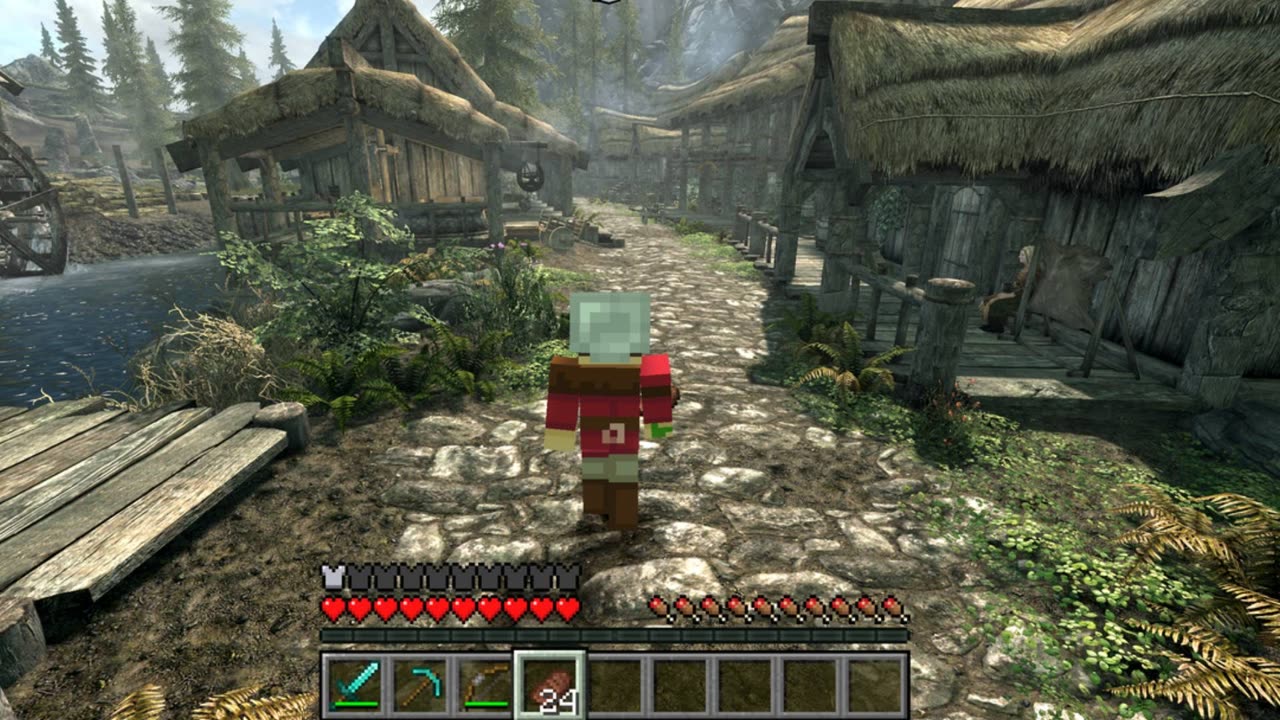
  • 免费开玩SkyCraft开放世界角色扮演沙盒冒险多人开始游戏免费开玩
    SkyCraftSkyrim × Minecraft

    游玩SkyCraft

    1. 第 1 步: 复制提示词
    2. 第 2 步: 粘贴到 Claude Code 或 Codex
    3. 第 3 步: 你的智能体会完成设置,然后开玩。

    免费。你需要一台 Windows 电脑,并拥有 Skyrim 和 Minecraft 的正版。

    查看提示词的作用
    Help me install and play "SkyCraft" (Skyrim x Minecraft), a fan-made mod by chasmlol: https://github.com/chasmlol/SkyCraft
    
    Do the technical work yourself and tell me plainly what you could not do or test. Downloads are your job, not mine: get the mod and everything it needs (loaders, launchers, runtimes) from their official sources, and tell me what you installed and where. Only hand something to me when it truly needs me (a login, a purchase, a Windows permission prompt), with the direct link and exactly what to click.
    
    1. Read the project's README and latest release first. Tell me in two or three lines what it is, what it needs, and anything its known issues say I should avoid.
    2. Find my copies of the games yourself (Steam, Epic, Xbox and other library folders). If one is missing, or is the wrong version for this mod, stop and tell me what to get. Never download games, game files or ROMs from anywhere; the mod runs on copies I own.
    3. Safety check before anything runs: download only from the creator's release linked above and the official sites of the loaders it names. Scan every downloaded file with Microsoft Defender ("%ProgramFiles%\Windows Defender\MpCmdRun.exe" -Scan -ScanType 3 -File "<the download folder>"), and read the project's open issues for security reports. If anything is flagged, stop and tell me what and where. Don't run anything as administrator unless the README requires it, and ask me first.
    4. Before changing anything, back up every game file and save you will touch, and keep a list of what you change so I can undo it.
    5. Install the mod exactly as its README says, using the loaders it names. If the README offers a mod manager route and a manual route, pick the one that needs less from me.
    6. Start the game the way the README says and check that it loads (the README usually says how to tell). If it fails, read the logs, fix what you can, and tell me what is left.
    7. If it has multiplayer, tell me in one or two lines how my friends join.
    8. Finish with: what you installed, what the safety check found, how I start it next time, and how I remove it and restore my files.
    
    Play offline when the mod says so, and never use it in online modes with anti-cheat. If you get stuck on how the game or mod works, universal-modder (https://github.com/rehan-remade/universal-modder) has skills for working out a game's engine and loaders.
    
    Start now: begin with step 1.
  • 首页
  • 游戏
  • 商店
  • 即将推出
  • 我的