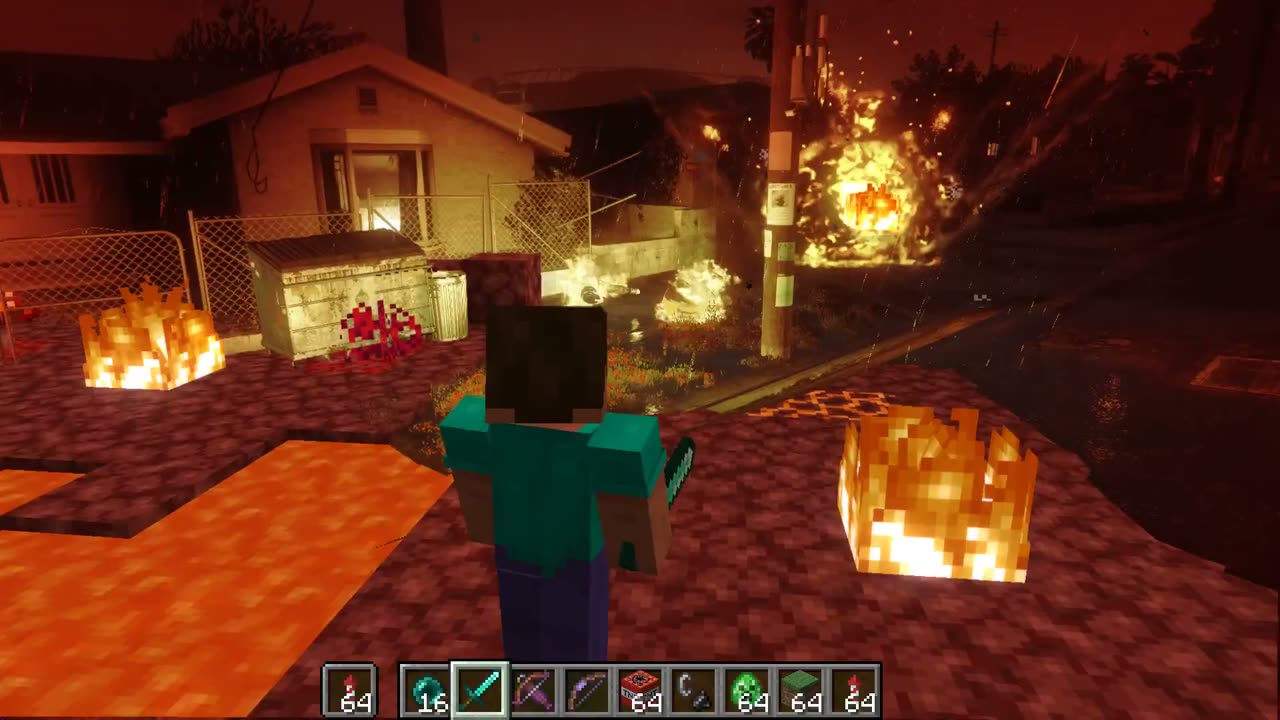
Summer GamesSummer Games
esc

Popular

↑↓ Navigate⌘K to open and closeSearch ↵
Upload
Summer Games

Great games. New possibilities. A little more Summer.

Store

  • All games
  • Upcoming and game jams
  • Desktop app
  • Item shop
  • Mods
  • Game lists
  • Made with Summer Engine
  • Idea Board
  • Sparks

Account

  • Library
  • Purchases
  • Settings
  • Connect an AI app

For developers

  • Publish your game
  • For studios
  • Build with Summer Engine
  • Roadmap

Help & legal

  • Support
  • Press
  • Brand kit
  • Terms
  • Privacy
  • Refunds
  • Parents’ guide
  • Community standards

© 2026 Summer Labs, Inc. All rights reserved.

  • Home
  • Games
  • Shop
  • Upcoming
  • You
GamesUpcomingItem shopIdeas
Get the app
Video by the creator

Bully × Skate 3

BullySkate

Skate around Bullworth as Jimmy with Skate 3’s physics and controller support.

Play BullySkate

  1. Step 1: Copy the prompt
  2. Step 2: Paste it into Claude Code or Codex
  3. Step 3: Your agent sets it up. Play.

Free. You need your own Bully and Skate 3 on a Windows PC.

See what the prompt does
Help me install and play "BullySkate" (Bully x Skate 3), a fan-made mod by Faiqie: https://github.com/Faiqie/BullySkate

Do the technical work yourself and tell me plainly what you could not do or test. Downloads are your job, not mine: get the mod and everything it needs (loaders, launchers, runtimes) from their official sources, and tell me what you installed and where. Only hand something to me when it truly needs me (a login, a purchase, a Windows permission prompt), with the direct link and exactly what to click.

1. Read the project's README and latest release first. Tell me in two or three lines what it is, what it needs, and anything its known issues say I should avoid.
2. Find my copies of the games yourself (Steam, Epic, Xbox and other library folders). If one is missing, or is the wrong version for this mod, stop and tell me what to get. Never download games, game files or ROMs from anywhere; the mod runs on copies I own.
3. Safety check before anything runs: download only from the creator's release linked above and the official sites of the loaders it names. Scan every downloaded file with Microsoft Defender ("%ProgramFiles%\Windows Defender\MpCmdRun.exe" -Scan -ScanType 3 -File "<the download folder>"), and read the project's open issues for security reports. If anything is flagged, stop and tell me what and where. Don't run anything as administrator unless the README requires it, and ask me first.
4. Before changing anything, back up every game file and save you will touch, and keep a list of what you change so I can undo it.
5. Install the mod exactly as its README says, using the loaders it names. If the README offers a mod manager route and a manual route, pick the one that needs less from me.
6. Start the game the way the README says and check that it loads (the README usually says how to tell). If it fails, read the logs, fix what you can, and tell me what is left.
7. If it has multiplayer, tell me in one or two lines how my friends join.
8. Finish with: what you installed, what the safety check found, how I start it next time, and how I remove it and restore my files.

Play offline when the mod says so, and never use it in online modes with anti-cheat. If you get stuck on how the game or mod works, universal-modder (https://github.com/rehan-remade/universal-modder) has skills for working out a game's engine and loaders.

Start now: begin with step 1.


Requires
Bully, Skate 3. Free if you own both.
Price
Free to play
Platform
Windows PC
Made by
Faiqie
Players
Single player

About

Skate around Bullworth as Jimmy with Skate 3's physics. Switch between skating and normal Bully at any time, and grab onto passing cars.

  • Skate anywhere in Bullworth with Skate 3's board physics
  • Switch between skating and on-foot Bully with one button
  • Skitch by holding onto a car's rear bumper
  • Set markers and respawn at them
  • Change camera, field of view and difficulty in the Skate menu
  • Skate 3 board sounds matched to the surface
  • ▶Faiqie's video: Skate 3 in Bully
Open in ClaudeOpen in ChatGPT

You need

  • Bully: Scholarship Edition 1.200 on Steam
  • Your own extracted Xbox 360 Skate 3 files
  • Windows 10 or 11 and a controller

Heads-up

  • Steam users should keep Steam signed in
  • Some players report their copy of version 1.200 being refused as incompatible
  • Close Bully before updating
  • It includes the SK8-ENGINE Skate 3 rewrite, used with its owner's permission per the release notes

A fan project by Faiqie, hosted on their page (v0.1.2, MIT). Not affiliated with the games’ publishers. Mods notice

More mods

See all
  • Free to play2010 Rust RewriteShooterSkateboardingSandboxMultiplayerPlayFree to play
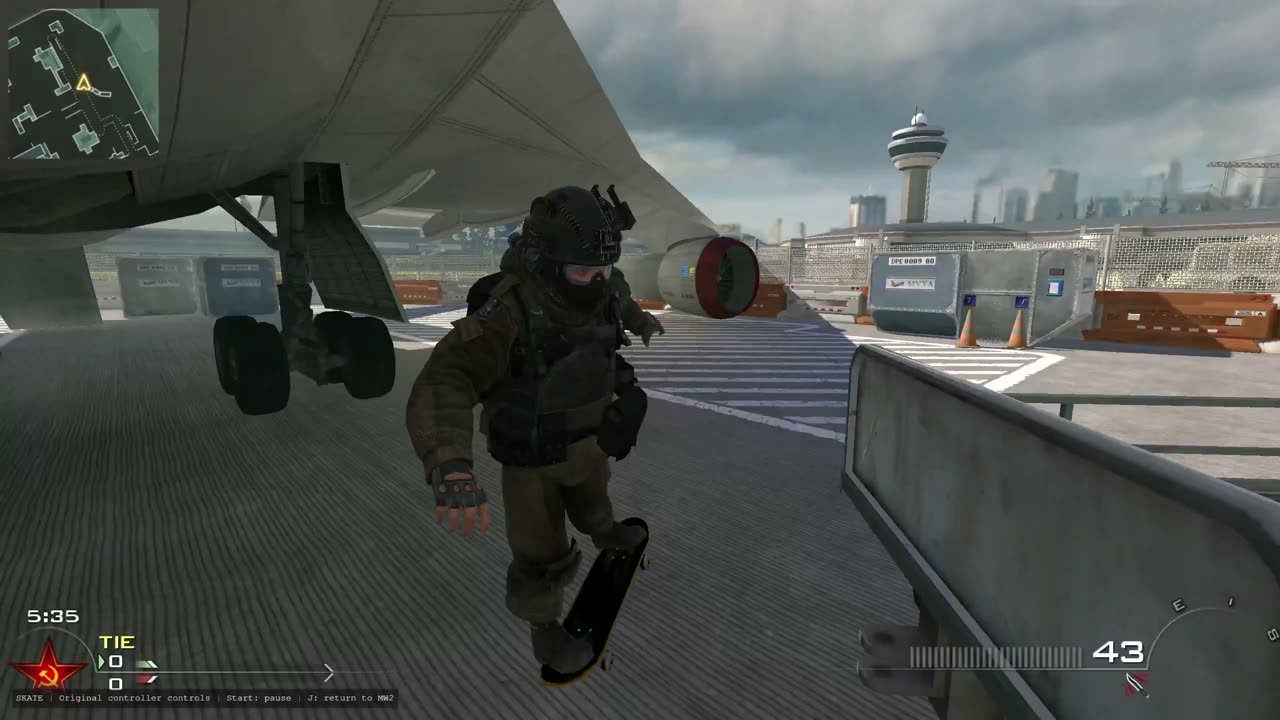
    2010 Rust RewriteModern Warfare 2 × Skate 3 × Minecraft

    Play 2010 Rust Rewrite

    1. Step 1: Copy the prompt
    2. Step 2: Paste it into Claude Code or Codex
    3. Step 3: Your agent sets it up. Play.

    Free. You need your own Modern Warfare 2 and Skate 3 and Minecraft on a Windows PC.

    See what the prompt does
    Help me install and play "2010 Rust Rewrite" (Modern Warfare 2 x Skate 3 x Minecraft), a fan-made mod by chasmlol: https://github.com/chasmlol/2010-rust-rewrite-mashup
    
    Do the technical work yourself and tell me plainly what you could not do or test. Downloads are your job, not mine: get the mod and everything it needs (loaders, launchers, runtimes) from their official sources, and tell me what you installed and where. Only hand something to me when it truly needs me (a login, a purchase, a Windows permission prompt), with the direct link and exactly what to click.
    
    1. Read the project's README and latest release first. Tell me in two or three lines what it is, what it needs, and anything its known issues say I should avoid.
    2. Find my copies of the games yourself (Steam, Epic, Xbox and other library folders). If one is missing, or is the wrong version for this mod, stop and tell me what to get. Never download games, game files or ROMs from anywhere; the mod runs on copies I own.
    3. Safety check before anything runs: download only from the creator's release linked above and the official sites of the loaders it names. Scan every downloaded file with Microsoft Defender ("%ProgramFiles%\Windows Defender\MpCmdRun.exe" -Scan -ScanType 3 -File "<the download folder>"), and read the project's open issues for security reports. If anything is flagged, stop and tell me what and where. Don't run anything as administrator unless the README requires it, and ask me first.
    4. Before changing anything, back up every game file and save you will touch, and keep a list of what you change so I can undo it.
    5. Install the mod exactly as its README says, using the loaders it names. If the README offers a mod manager route and a manual route, pick the one that needs less from me.
    6. Start the game the way the README says and check that it loads (the README usually says how to tell). If it fails, read the logs, fix what you can, and tell me what is left.
    7. If it has multiplayer, tell me in one or two lines how my friends join.
    8. Finish with: what you installed, what the safety check found, how I start it next time, and how I remove it and restore my files.
    
    Play offline when the mod says so, and never use it in online modes with anti-cheat. If you get stuck on how the game or mod works, universal-modder (https://github.com/rehan-remade/universal-modder) has skills for working out a game's engine and loaders.
    
    Start now: begin with step 1.
  • Free to playSkateGMSkateboardingSandboxPhysicsMultiplayerPlayFree to play
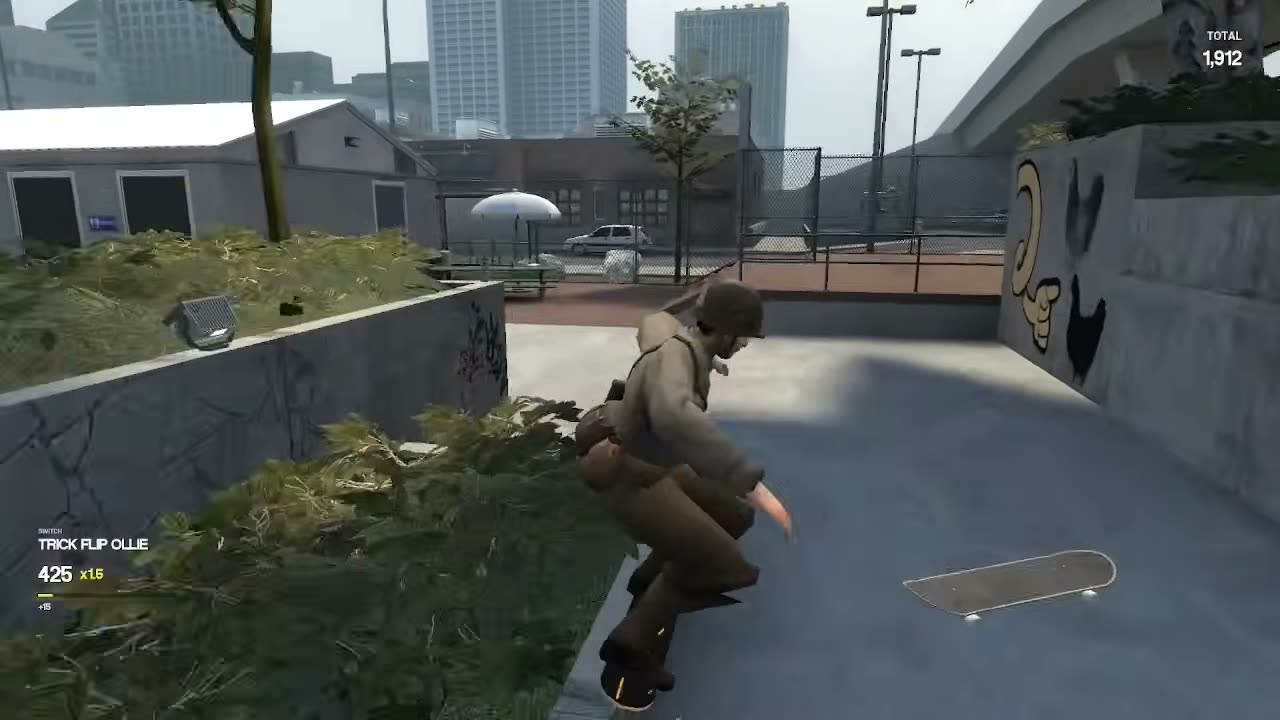
    SkateGMSkate 3 × Garry’s Mod

    Play SkateGM

    1. Step 1: Copy the prompt
    2. Step 2: Paste it into Claude Code or Codex
    3. Step 3: Your agent sets it up. Play.

    Free. You need your own Skate 3 and Garry’s Mod on a Windows PC.

    See what the prompt does
    Help me install and play "SkateGM" (Skate 3 x Garry’s Mod), a fan-made mod by the-schwilliam: https://github.com/the-schwilliam/SkateGM
    
    Do the technical work yourself and tell me plainly what you could not do or test. Downloads are your job, not mine: get the mod and everything it needs (loaders, launchers, runtimes) from their official sources, and tell me what you installed and where. Only hand something to me when it truly needs me (a login, a purchase, a Windows permission prompt), with the direct link and exactly what to click.
    
    1. Read the project's README and latest release first. Tell me in two or three lines what it is, what it needs, and anything its known issues say I should avoid.
    2. Find my copies of the games yourself (Steam, Epic, Xbox and other library folders). If one is missing, or is the wrong version for this mod, stop and tell me what to get. Never download games, game files or ROMs from anywhere; the mod runs on copies I own.
    3. Safety check before anything runs: download only from the creator's release linked above and the official sites of the loaders it names. Scan every downloaded file with Microsoft Defender ("%ProgramFiles%\Windows Defender\MpCmdRun.exe" -Scan -ScanType 3 -File "<the download folder>"), and read the project's open issues for security reports. If anything is flagged, stop and tell me what and where. Don't run anything as administrator unless the README requires it, and ask me first.
    4. Before changing anything, back up every game file and save you will touch, and keep a list of what you change so I can undo it.
    5. Install the mod exactly as its README says, using the loaders it names. If the README offers a mod manager route and a manual route, pick the one that needs less from me.
    6. Start the game the way the README says and check that it loads (the README usually says how to tell). If it fails, read the logs, fix what you can, and tell me what is left.
    7. If it has multiplayer, tell me in one or two lines how my friends join.
    8. Finish with: what you installed, what the safety check found, how I start it next time, and how I remove it and restore my files.
    
    Play offline when the mod says so, and never use it in online modes with anti-cheat. If you get stuck on how the game or mod works, universal-modder (https://github.com/rehan-remade/universal-modder) has skills for working out a game's engine and loaders.
    
    Start now: begin with step 1.
  • Free to playFortCraftShooterSandboxActionPlayFree to play
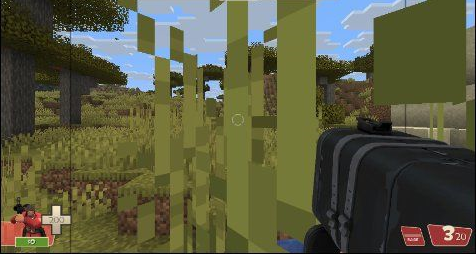
    FortCraftMinecraft × Team Fortress 2

    Play FortCraft

    Summer checks your games and sets up FortCraft when you press Play in the desktop app. You need Minecraft: Java Edition and the free Team Fortress 2 and Source SDK Base 2013 Multiplayer.

    Checking for the latest version…

    Get Summer Games

  • Free to playMinecraft in GTA VOpen worldSandboxActionPlayFree to play
    Minecraft in GTA VGTA V × Minecraft

    Play Minecraft in GTA V

    1. Step 1: Copy the prompt
    2. Step 2: Paste it into Claude Code or Codex
    3. Step 3: Your agent sets it up. Play.

    Free. You need your own GTA V and Minecraft on a Windows PC.

    See what the prompt does
    Help me install and play "Minecraft in GTA V" (GTA V x Minecraft), a fan-made mod by rehan-remade: https://github.com/rehan-remade/universal-modder/tree/main/examples/minecraft-gta5-passthrough
    
    Do the technical work yourself and tell me plainly what you could not do or test. Downloads are your job, not mine: get the mod and everything it needs (loaders, launchers, runtimes) from their official sources, and tell me what you installed and where. Only hand something to me when it truly needs me (a login, a purchase, a Windows permission prompt), with the direct link and exactly what to click.
    
    1. Read the project's README and latest release first. Tell me in two or three lines what it is, what it needs, and anything its known issues say I should avoid.
    2. Find my copies of the games yourself (Steam, Epic, Xbox and other library folders). If one is missing, or is the wrong version for this mod, stop and tell me what to get. Never download games, game files or ROMs from anywhere; the mod runs on copies I own.
    3. Safety check before anything runs: download only from the creator's release linked above and the official sites of the loaders it names. Scan every downloaded file with Microsoft Defender ("%ProgramFiles%\Windows Defender\MpCmdRun.exe" -Scan -ScanType 3 -File "<the download folder>"), and read the project's open issues for security reports. If anything is flagged, stop and tell me what and where. Don't run anything as administrator unless the README requires it, and ask me first.
    4. Before changing anything, back up every game file and save you will touch, and keep a list of what you change so I can undo it.
    5. Install the mod exactly as its README says, using the loaders it names. If the README offers a mod manager route and a manual route, pick the one that needs less from me.
    6. Start the game the way the README says and check that it loads (the README usually says how to tell). If it fails, read the logs, fix what you can, and tell me what is left.
    7. If it has multiplayer, tell me in one or two lines how my friends join.
    8. Finish with: what you installed, what the safety check found, how I start it next time, and how I remove it and restore my files.
    
    Play offline when the mod says so, and never use it in online modes with anti-cheat. If you get stuck on how the game or mod works, universal-modder (https://github.com/rehan-remade/universal-modder) has skills for working out a game's engine and loaders.
    
    Start now: begin with step 1.
  • Home
  • Games
  • Shop
  • Upcoming
  • You